Bramus

Bramus's avatar
Bramus
npub159nr...rz7e
Chrome Developer Relations at Google (CSS + Web UI). CSSWG Member. PADI Divemaster. Blogs at bram.us. Iโ€™m primarily active on ๐Ÿฆ‹ nowadays. ๐Ÿ”— Blog: https://www.bram.us ๐ŸŽฎ Playground: https://codepen.io/bramus ๐Ÿฆ‹ Bsky: https://bsky.app/profile/bram.us ๐Ÿ“ Location: Belgium
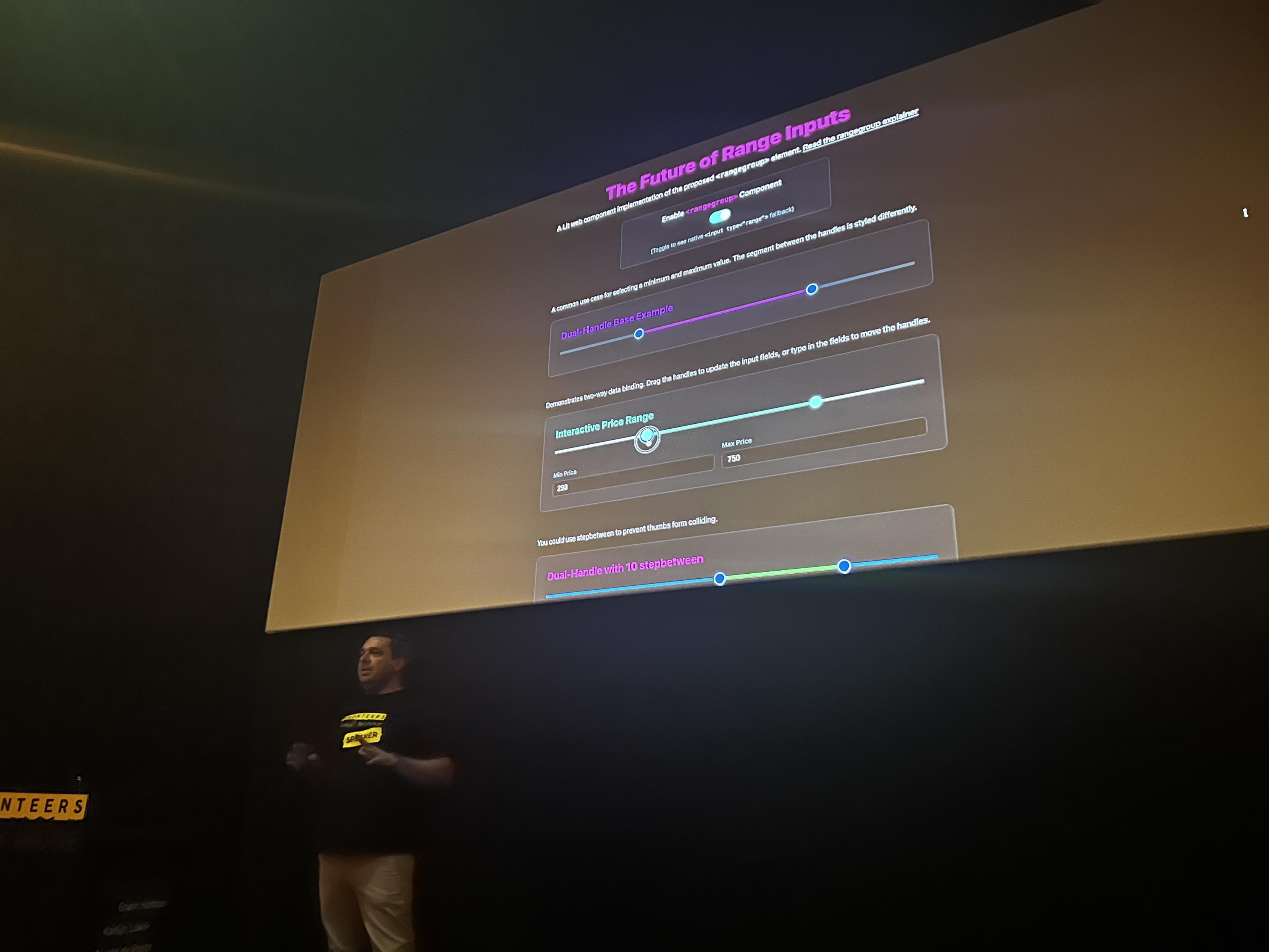
At #Fronteers #DarkMode, @Brecht proposed the <rangegroup> HTML Element which he has been working on at Open UI. It unlocks the multi-handle range slider, a pattern you might have already used when picking a price-range on a travel website. - Explainer: - Demos: - Feedback Form: image
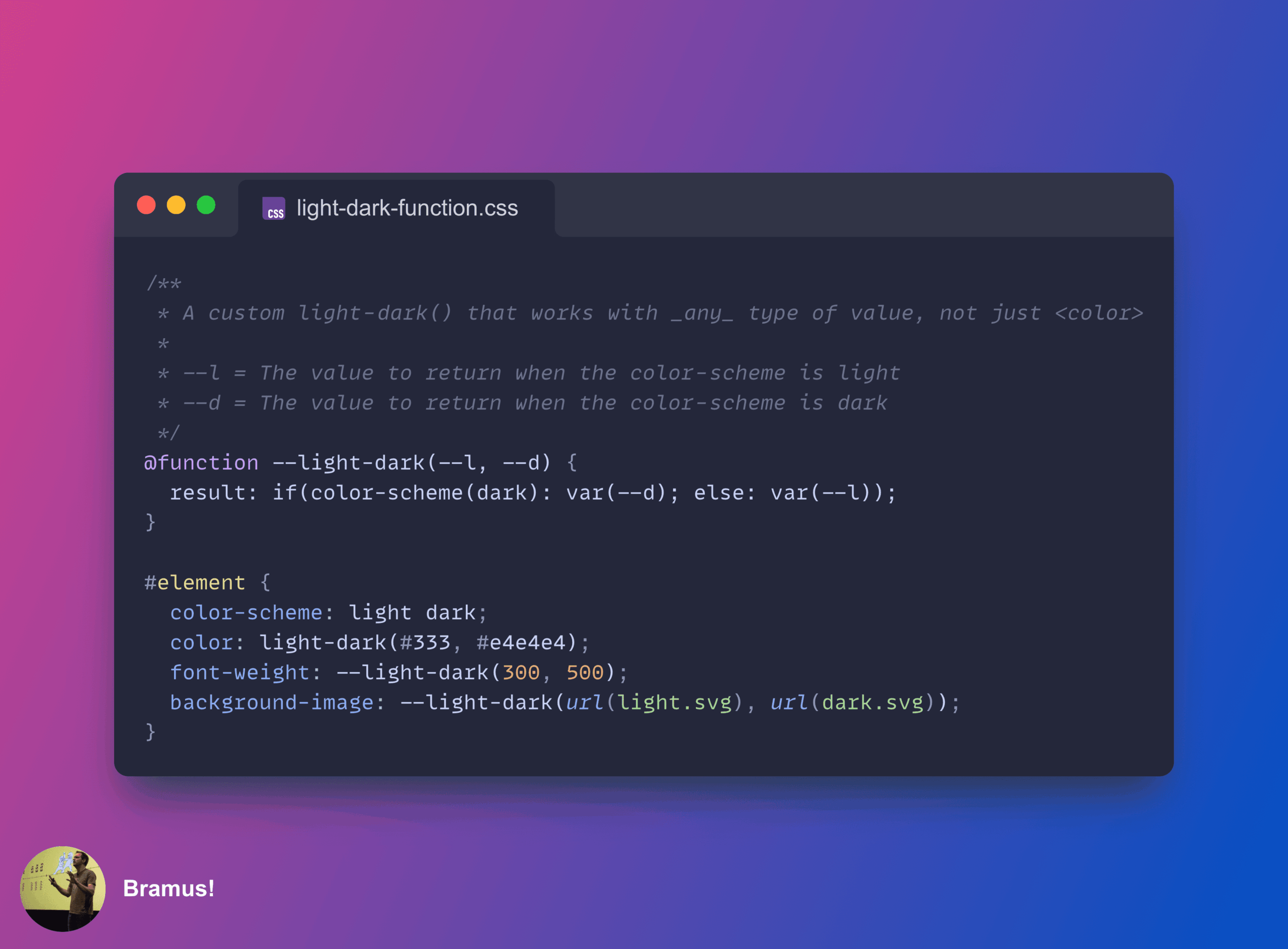
New blog post: A custom `--light-dark()` function in CSS that works with any type of value _(not just colors!)_ in just 3 LOC > CSS Custom Functions (`@function`) + CSS `if()` + CSS `color-scheme()` = one sweet combo!
CSS Excitement! > RESOLVED: Add `color-scheme()` test to both `@container` queries and `if()`. This means you can do a light-dark() that works with any type of value ๐Ÿคฉ๐Ÿคฉ ``` background-image: if(color-scheme(dark): url(dark.svg); else: url(light.svg)); ```
๐Ÿ‘€ Coming to Chrome DevTools in Chrome 138: CSS Value Tracing When you hover a --custom-prop in a `var()`, DevTools currently shows you the computed value. From Chrome 138 onwards, you can hover the `var` part to see how CSS actually got to that value.
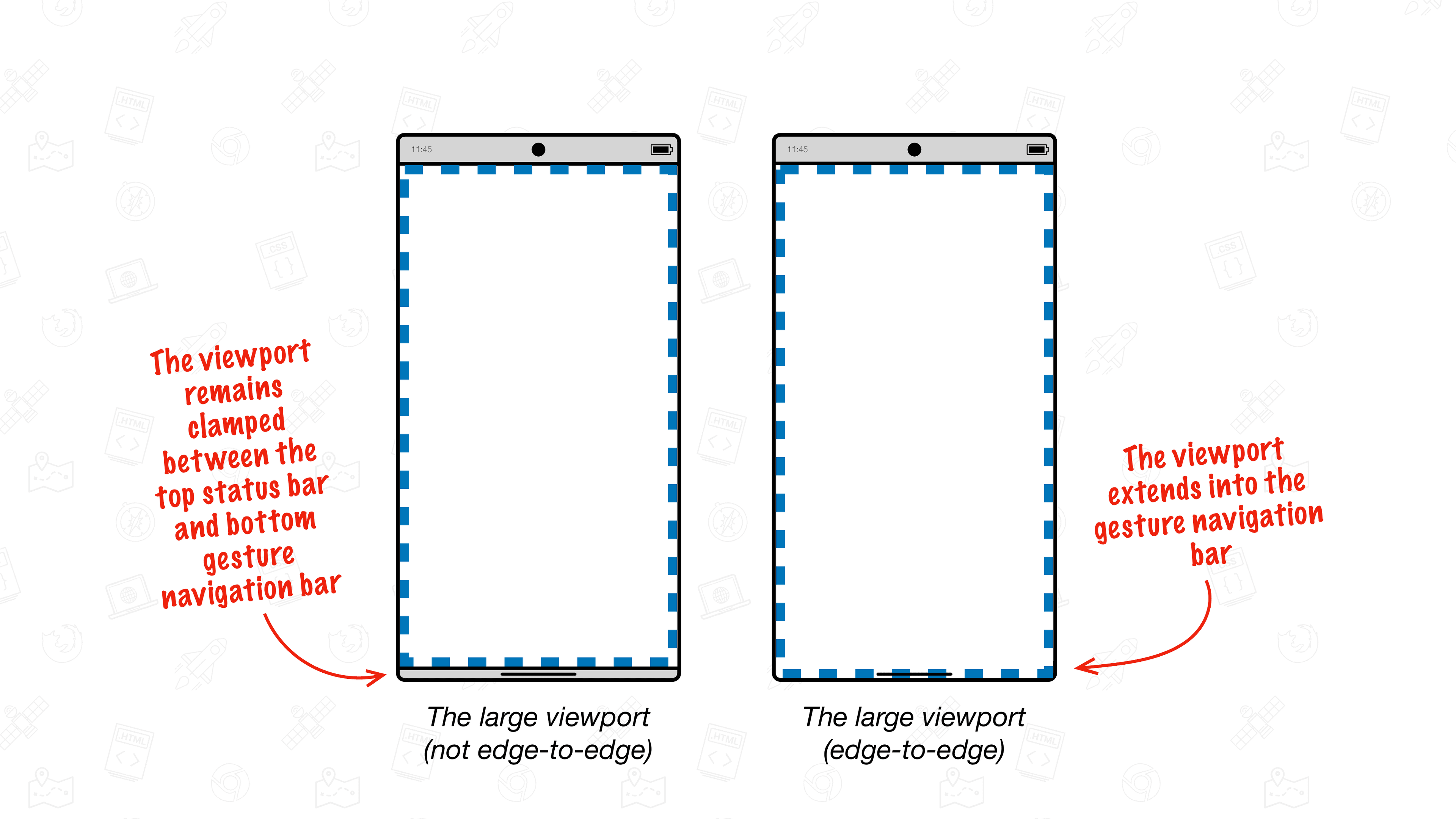
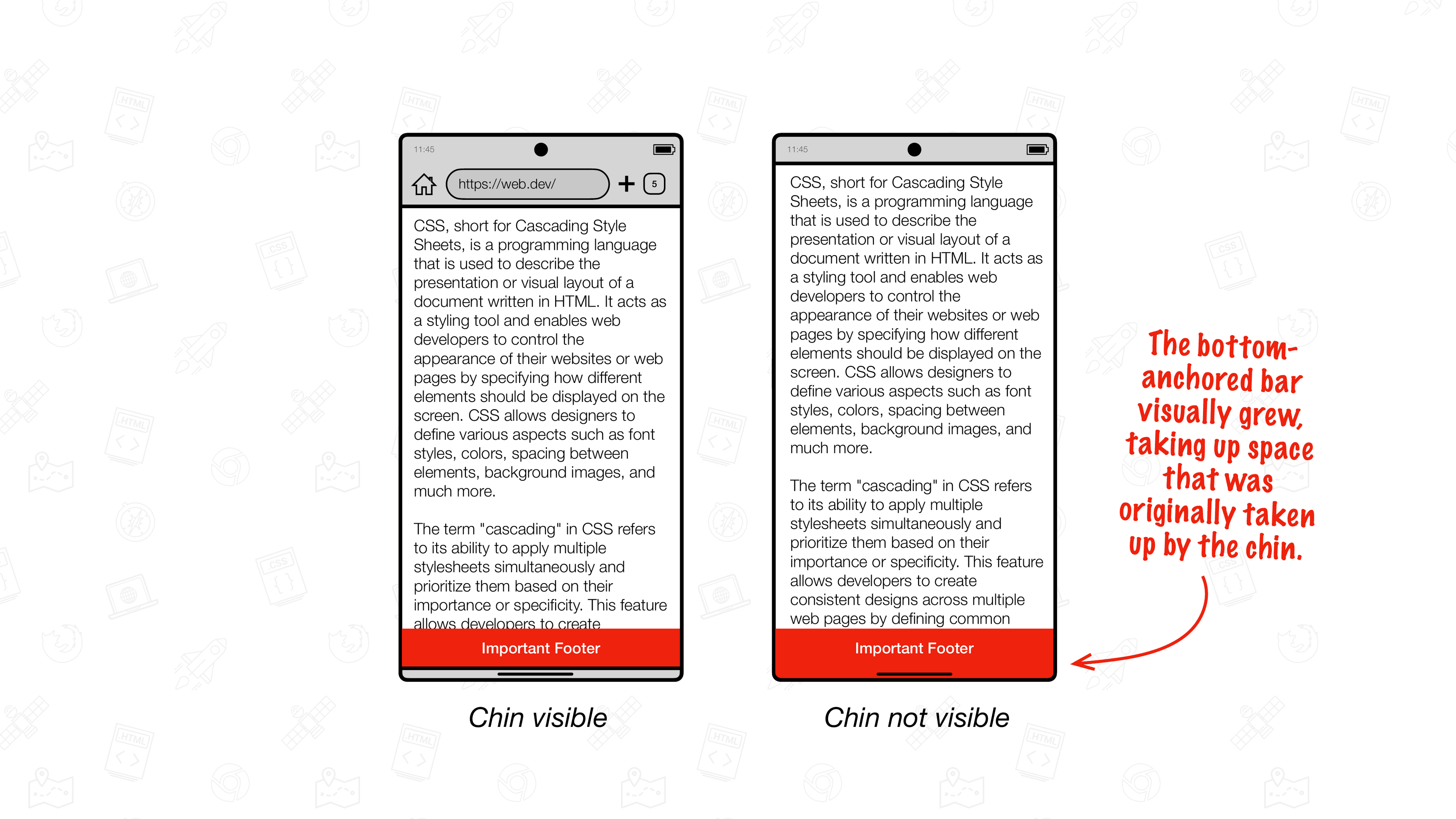
๐Ÿ—ฃ๏ธ PSA: Chrome on Android is getting an upgrade and will support edge-to-edge from Chrome 135. Hereโ€™s all you need to know to migrate your website to support edge-to-edge: (Be sure to check this guide if you have `position: fixed` content at `bottom: 0`. If you donโ€™t have such content, youโ€™re fine.)