## Random Thoughts At Six In The Morning…There used to be a time back around 2011 – 2015 or so that I was able to write blog posts regularly. I would often do so several times per week. Some of that was because I had a lot of products to review, but some of that was just random stuff I would come up with to write about. Plus I was much more heavily into mobile devices(read that as Android), and was customizing my device and doing different things. I don’t spend much time on my mobile device(read this one as my iPhone) as customization just isn’t of interest any longer. Now, let’s fast-forward some 10 – 14 years later, and it’s something I struggle with, regularly. I can never come up with blog post ideas, and in a lot of ways, that discourages me because I want to write more blog posts. I really don’t know why it’s like this now days, but it’s been like this for years. I don’t know if it’s because I once experienced burn out from when I was doing it regularly, or if it’s because I just don’t do much outside of my work day to have things to write about. There are times that I even try and do a Google search for something like “blog post ideas” or something similar, and nothing just catches my attention enough that I pick something and go with it. I even read other blogs and click links that interest me to see if those can inspire me, but it never seems to do that. So my question to y’all, for anyone who randomly writes blog posts of their own, how do you come up with ideas to write a blog post? Anything specific? Do you go looking for subjects to write about or do things just pop in your head and you then take it and run with it? Do you do the Google search idea that I mentioned above and then pick something that others have done and go with that? What’s your secret or what’s your suggestions on how to produce more content? It’s funny because I was wanting to write a blog post this morning, but couldn’t come up with anything to write about, yet look where we are? Yep, an actual blog post. Granted, it’s complete randomness, but it’s a blog post nonetheless and it’s something I can and certainly will publish this morning as I really would like ideas from others on how you come up with things to write about. While I know this was certainly a very weird and random blog post, I do want to say thank you to anyone who takes the time to read it and of course a thank you to anyone who might comment and provide some suggestions to me on how to come up with subjects to write about. Y’all are the folks that I want to write things for and I hope to find more ways to entertain you through my writing. #Blogging #Computers #PC #RandomThoughts #Technology #Writing
## The 365 In 2025 Photo ChallengeNow that 2024 is over and 2025 has begun, it’s always nice and often fun to try new things. Personally, I never participate in these social media challenges that you see people do online as it’s just not something I’ve ever been interested in or know I likely won’t get too far. I know [Kyle Reddoch](https://allthingstech.social/@beardedtechguy ) posted about this challenge to [his blog](https://weblog.kylereddoch.me/2025/01/a-365-in-2025-photo-log-challenge ) yesterday as well, but I wanted to do the same to hopefully give a bit more exposure to this challenge and the hashtag we’ll be using for this. However, thanks to [Andrew Melder]( ), a member from AllThingsTech’s Discord, he has come up with a challenge that I’m actually going to give a try. Again, I’m not sure how far I will get, but I’m going to give it my best shot. So what is this challenge you ask? It’s the **#365in25** challenge and it works by posting a photo you have taken each day of the year and use the hashtag mentioned above, **#365in25**. I’ll also specifically be using the hashtag **#365in2025** just to clarify the year at the end. You can post these pictures anywhere you’d like, such as via Mastodon, Pixelfed, a website of yours or anywhere else. The photos also don’t need to be of a specific theme or anything like that. Just any random photos you have taken. In fact, it doesn’t even have to be a photo you took that specific day, as we all know we get busy and life gets in the way and we can often forget to snap a photo or two. However, for me, I’m going to try my best to post a photo that I took from that specific day, as I want to challenge myself to take a photo every day if possible. Since today is January 2nd, 2025, I have already posted my first two photos for this challenge. You can see them via the links below as I posted one directly to my [Mastodon account](https://allthingstech.social/@cliffwade ), and then the second one I posted to my [Pixelfed account]( ). Photo for [January 1st, 2025](https://allthingstech.social/@cliffwade/113754584151381036 ) and photo for [January 2nd, 2025]( ). Also, if you’re currently beta testing the new Surf feed app, Andrew created a custom feed for the hashtag there as well that you can easily follow. Just add this feed URL and you can Surf the feed and enjoy the photos that get posted during this challenge. **Surf Feed**: social://feed/surf%2Fcustom%2F01jfpqenxqkj2y46enmyw0kngp I hope to see many others join in on this challenge, and I’m certainly curious to see how far I make it. As stated above, I’m usually not good at these little challenges, but this is a fun one that I hope to be successful at. #365In2025 #365In25 #Challenge #Photography #Photos #Pictures #SocialMedia #Technology
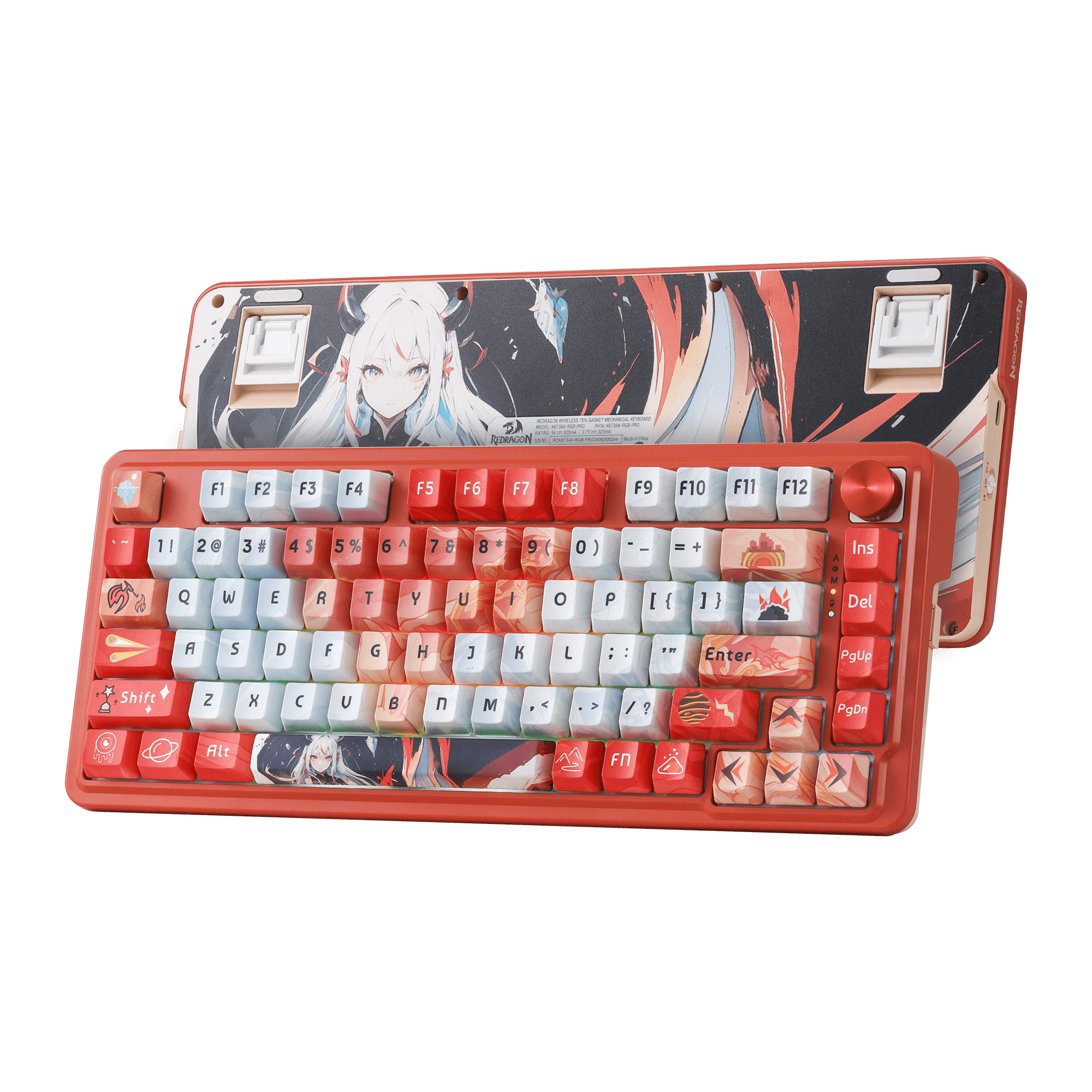
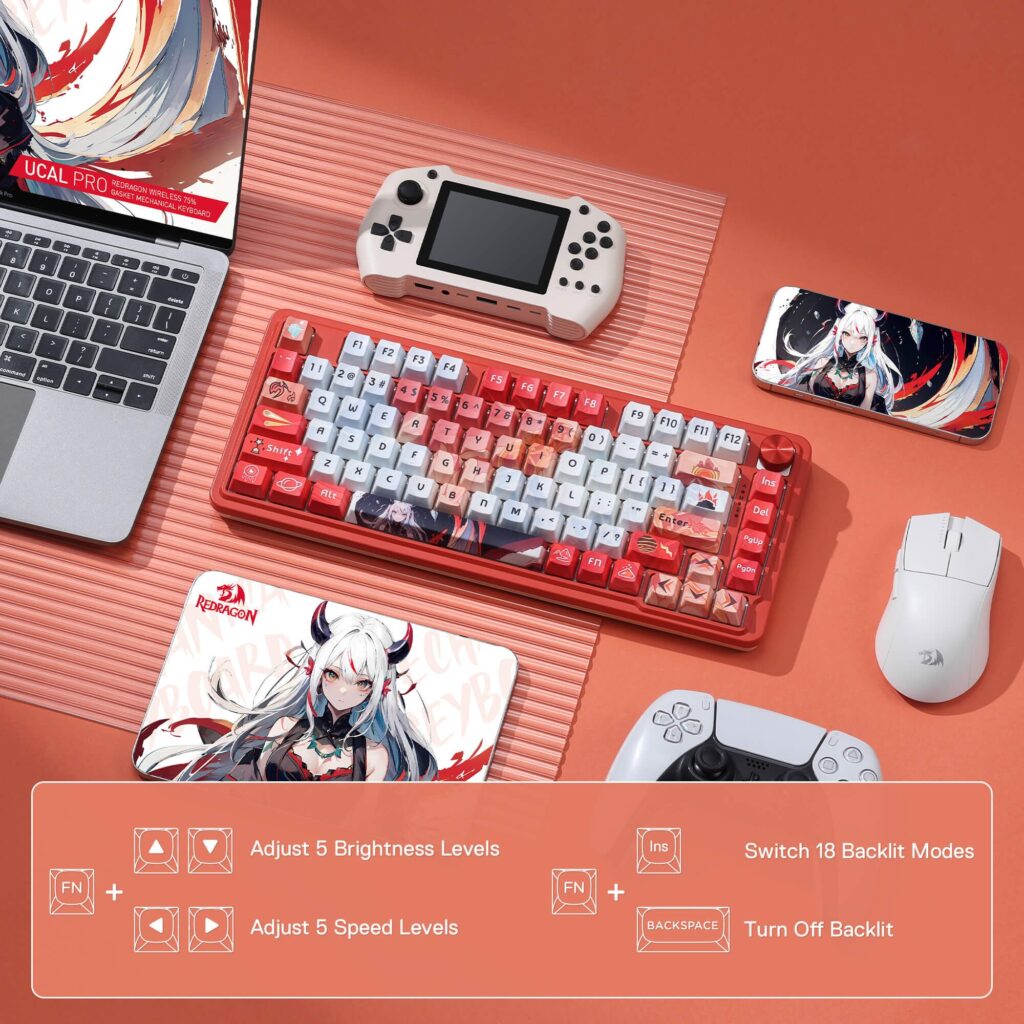
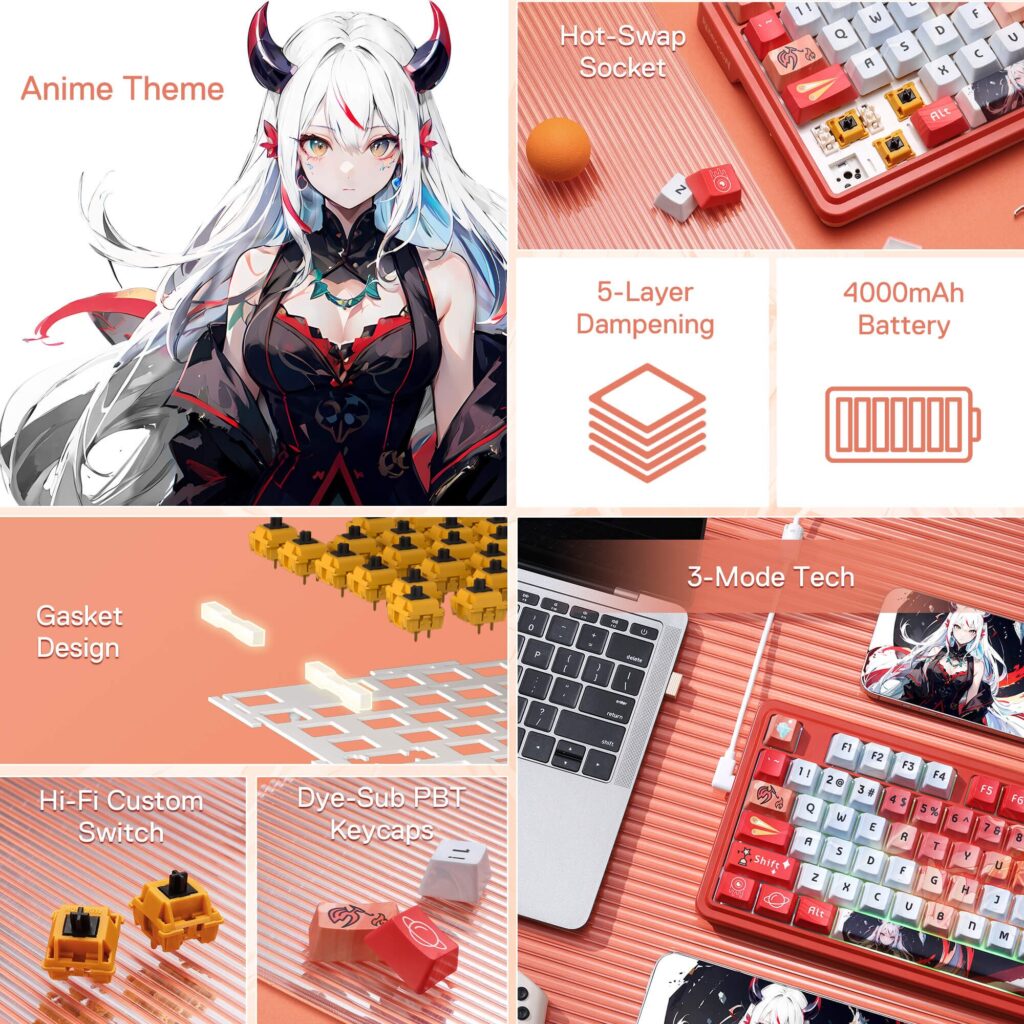
## Review: Redragon UCAL K673 Pro Anime KeyboardThe [Redragon UCAL K673 Pro Anime keyboard]( ) is a 75% layout mechanical keyboard that has been gaining popularity for its unique aesthetics, wireless functionality, and overall value. This review will delve into its various aspects, including build quality, features, software, battery life, and more.## Design And Build QualityThe standout feature of the K673 Pro Anime is its distinct anime-inspired design. It sports vibrant red keycaps with unique legends and artwork, making it a visually striking keyboard. The 75% layout offers a compact form factor, saving desk space while retaining essential keys like function keys and arrow keys. In terms of build quality, the K673 Pro Anime feels surprisingly solid for its price range. It features a plastic case that exhibits minimal flex, and the keycaps are made of durable PBT plastic, which is known for its resistance to shine and wear. The keyboard also utilizes a gasket mount design, which provides a softer typing experience and reduces noise.## Features and PerformanceThe K673 Pro Anime offers a range of features that enhance its versatility and functionality:<li><strong>Tri-mode connectivity:</strong> It supports Bluetooth 5.0, 2.4GHz wireless, and wired USB-C connections, providing compatibility with various devices.</li><li><strong>Hot-swappable sockets:</strong> This allows users to easily replace the switches without soldering, enabling customization of the typing feel and sound.</li><li><strong>RGB backlighting:</strong> The keyboard features customizable RGB backlighting with various effects, allowing users to personalize their setup.</li><li><strong>Sound-absorbing technology:</strong> The gasket mount design, along with a layer of silencing foam and a silicone pad, contributes to a quieter and more comfortable typing experience.</li><li><strong>One Knob Control</strong>: Armed with a convenient easy access control knob, the keyboard backlight brightness and media (volume, play/pause, switch) are all in control with no hassle. Plus there is no extra keys or space to waste. </li> The typing experience on the K673 Pro Anime is generally positive. The gasket mount provides a cushioned feel, and the pre-lubed linear switches offer smooth key presses. The keyboard is suitable for both gaming and typing, offering a balance of responsiveness and comfort.## SoftwareRedragon provides software for the K673 Pro Anime, which allows users to customize the RGB lighting, create macros, and remap keys. The software is relatively straightforward to use, although it may not be as feature-rich as some other keyboard software. You can find the software for the UCAL K673 Pro via this link: [UCAL K673 Pro software](💾.exe ).## Battery LifeThe K673 Pro Anime is equipped with a built-in 4000mAh battery, which offers decent battery life. With the RGB backlighting off, the keyboard can last for several days on a single charge. However, with the RGB lighting enabled, the battery life will be significantly shorter. When you have RGB enabled on the UCAL K673 Anime keyboard, you can expect about 2 – 3 weeks of battery life. If you have the RGB disabled, you can likely double that if not more, at least from my experience.<strong>Pros</strong>Unique and eye-catching anime designSolid build quality with PBT keycapsVersatile tri-mode connectivityHot-swappable sockets for customizationComfortable typing experience with gasket mountCustomizable RGB backlightingDecent battery lifeAffordable price<strong>Cons</strong>Plastic case may not appeal to all usersSoftware could be more feature-richBattery life with RGB lighting enabled could be better## Discount CodeThanks to the awesome folks over at Redragon for allowing me to review this product and others that they have sent over in the past. They have also provided me with a special URL that anyone can use to save a total of 10% off of your entire purchase across their site. So if you’re interested in purchasing the [Redragon UCAL K673 Pro Anime Keyboard]( ), or any of their products, you can click this link: [Save 10% On Your Entire Order]( ). I believe if you don’t click the link, you can always manually input ***DECRYPTED*** as the code during check out.## Final ThoughtsThe [Redragon UCAL K673 Pro Anime keyboard]( ) is a compelling option for those seeking a unique, feature-rich, and affordable mechanical keyboard. Its distinctive design, solid build quality, versatile connectivity, and comfortable typing experience make it a great choice for both gamers and typists. While it has some minor drawbacks, its strengths far outweigh its weaknesses. Currently priced at $74.99, it can be considered a bit more expensive for some users, but overall it’s a keyboard with great quality that I feel is certainly affordable. #Computers #Keyboards #PC #Redragon #Reviews #Technology
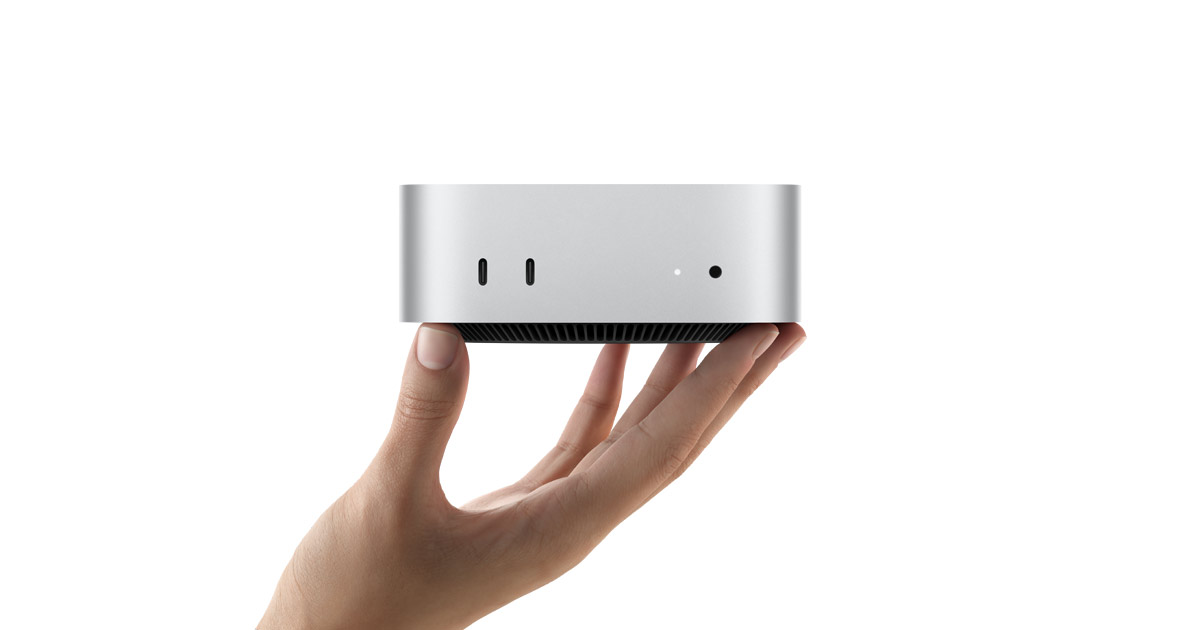
## My First Few Days With The Mac MiniI’ve never been a MacOS user, though I’ve wanted to be at various times. While I do own a very old and very used MacBook Pro that I got from my previous employer, I never really used it for any length of time. Even while I worked at Branch for 2 1/2 years and had a company issues MacBook Pro, I didn’t have to use it because I had special permission to continue using everything from my Windows PC. This past Saturday, November 16th, I decided to change that. Well, I had decided a bit earlier than that, but Saturday is when it physically happened when I went to the Apple Store at Friendly Center in Greensboro, NC to pick up an [M4 Mac Mini]( ). Let me give some background as to why I wanted one of these small little pieces of tech. Since getting laid off from Branch/Nova back in August, I decided to make the full-time switch to iOS when the iPhone 16 Pro Max arrived in September. While I’ve been using iOS for quite a few years, I never could do it full-time since I worked for an Android app. Then the sudden announcement of the M4 Mac Mini happened, and everyone saying how great of a machine it was, I thought what better time to really try using MacOS as well. Plus the fact that MacOS and iOS tie together so nicely, I figured this was a great opportunity to really see what the full ecosystem is all about.## Out Of The Box ImpressionsThe first impression is of course how small the Mac Mini is in size. It’s 2in(H) x 5in(W) x 5in(D) in size and that’s the whole product. It’s literally just a little box that fits in the palm of your hand and weighs in at only 1.5 pounds. To me, it’s completely mind blowing that so much powerful tech can fit in something so small. But it does, and that’s what makes it all that much cooler. The M4 Mac Mini currently only comes in silver, and of course has the pretty silver Apple logo right on top. It blends in great with all of the black I have on my computer desk currently. I couldn’t be happier with it at this point.## My Mac Mini SpecsI elected to go with the lowest base model, the one that starts at $499(via the EDU shop). You can see a screenshot of the specs of my Mac Mini. I didn’t feel I needed or wanted to spend a lot of money on it since this is my first real deep dive into MacOS and I wasn’t sure if it’d be something I’d stick with or not. Update: I will be sticking with MacOS! As you can see from the image above, I’ve installed the MacOS Sequoia Developer Beta on to the Mac Mini and also have all three of my monitors hooked up to it as well. Yes, the same three monitors that are still hooked up to my Windows PC which I’ll still use for gaming since I do quite a bit of gaming. I also have a KVM switch that allows me to use the same mouse and keyboard that I was using on my Windows PC with the Mac Mini as well. Super convenient to say the least.## Thoughts After The First Few Days Of UseMy initial thought here is similar to the thought I had when I took it out of the box. It’s mind blowing that something so small can run so smoothly and without any issues. I’ve had no issues at this point doing my every day stuff such as web browsing, social media, capturing screenshots and other similar things. Beyond that, it’s certainly been a learning experience in a lot of ways. I of course have to learn an entirely new ecosystem of apps and how to do things via MacOS that I have done for decades on Windows without thinking about things. I’ve had to find apps for this, apps for that and so on. But it’s been fun. Thanks to some super awesome folks on Mastodon, such as [Ronnie]( ), [Lou Plummer]( ), [CountableNewt](https://allthingstech.social/@countablenewt ), [BeardedTechGuy](https://allthingstech.social/@beardedtechguy ), [Aaron]( ) and a few others, they have all guided me towards a lot of great apps. Many that I’ve not had the chance to check out and play with to this point. Yet many of them I instantly discovered I needed and/or wanted and am now using them regularly. For the most part, things are very similar to how Windows does them, but certainly not all things. The one thing that I’m struggling with a bit right now is the fact that MacOS doesn’t do Focus Follows Mouse like Windows does. What this means is, when you have multiple monitors or multiple apps on one monitor, simply moving the mouse over another app or monitor doesn’t bring that app or monitor into focus. For example, I have the Vivaldi web browser on my middle monitor and Mastodon on my right monitor. Let’s say I’m currently typing an email within Vivaldi, someone posts something on Mastodon that I want to like and/or boost and since Vivaldi(or the middle monitor in this case) is in focus, for me to actually be able to click the Like button within Mastodon, I have to click to focus that app/monitor, and then click the Like button. It’s slightly annoying since I’ve not had to do that for decades now. I’m sure it’s something I’ll get used to or someone will give me a trick on how to get around it at some point. My only other really gripe, and it’s not a gripe really, it’s just more of a learning curve, is where settings and options are located for various things. In Windows, because I’ve used it for decades now, I knew where everything was for the most part. In MacOS, I’m feeling a bit lost, but slowly figuring things out basically by just exploring and of course Google searching for the things I need or want.## Apps I’ve Discovered So FarI know most everyone is curious about the apps that others use and I’m certainly no different. I’ve asked folks on Mastodon to give me their top 3 – 5 most used apps or apps they recommend the most. I’ve gotten lots of great feedback and because of that, I’m actually going to make this section into another post and make a complete list of apps that I’ve discovered and have started using up this point. I can tell you, I’ve found some really useful things in just a few days.## Final Thoughts On My M4 Mac MiniWith as small as this piece of hardware is, it’s incredible that it does everything that it does and does it with no issues at all. Let me not fail to mention that it makes absolutely no sound at all. If it weren’t in view on my desk, I’d have no idea it was even being used. You’d think the power was off. So far, I’m really like the Mac Mini and MacOS in general. I have it setup very similarly to my Windows PC as far as monitors, apps on those monitors and of course the apps that I’m using for my every day stuff. I definitely foresee myself sticking with MacOS going forward and at some point I could see myself possibly upgrading to something more powerful, be it a more top of the line M4 Mac Mini or maybe going with an iMac or something similar. Not really sure what the future holds long term, but I do know that I’ll be sticking with MacOS for the foreseeable future. Throw in the fact that MacOS and iOS integrate so seamlessly in just about every way possible which only leads me to having that much more to learn, explore and discover along the way. For the price of $499(via the EDU shop), the M4 Mac Mini seems like a no-brainer in so many ways. It’s something that I’m glad I picked up and look forward to what else I end up doing with this little piece of hardware.## One Final Thing…If you’re reading this and have any app recommendations or suggestions, I’d love to hear them. Feel free to comment below and tell me what apps you use or recommend and why. I’d also love to hear any tips and tricks you have for new MacOS users on settings or features to change that makes the experience of MacOS that much better. I’m certainly open to hear what you more experienced users suggest and recommend as I’m sure there are tons of things that I have no idea about quite yet when it comes to this OS and the Mac Mini itself. You can also reach out to me via Mastodon if you’d like to discuss things there. You can find me on Mastodon here: [Cliff on Mastodon](https://allthingstech.social/@CliffWade ) as I’d love to talk MacOS and Mac Mini talk with you! #AllThingsTech #Apple #Hardware #Mac #MacMini #MacOS #Technology
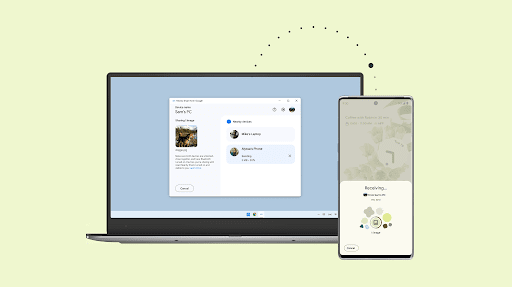
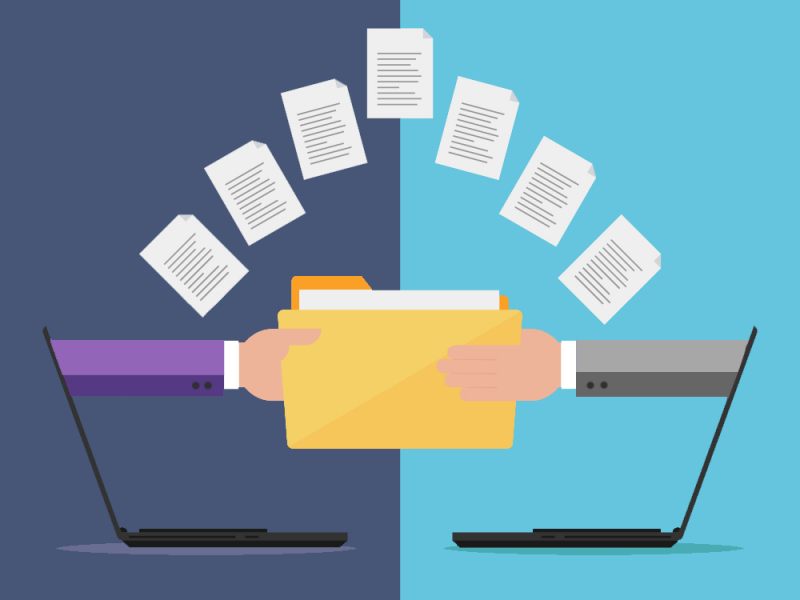
## LocalSend: A Fast, Secure Way To Transfer Files Between DevicesAs we all know, cloud services such as Dropbox, Google Drive and others are all very convenient ways to share files between devices, sometimes doing it locally is just satisfying and the best way to do it. This is where [LocalSend]( ) comes into play, which is an app I just recently discovered and am so glad that I did. One of the best things that I like about LocalSend is that it’s available on most any platform. This includes Windows, iOS, Android, Mac and Linux. This makes it easy to deal with an no ecosystem restrictions or anything similar. ## Install LocalSend On Multiple DevicesTo get started with LocalSend, simply install it from the [LocalSend download page]( ) or via your respective app store, be it for [Android](https://play.google.com/store/apps/details?id=org.localsend.localsend_app ) or for [iOS]( ). And for anyone who might need to use this on an Amazon device, you can do so by downloading LocalSend from [Amazon Appstore](https://www.amazon.com/dp/B0BW6MP732 ). Once you’ve got LocalSend installed on at least two different devices, simply head over to the app’s “Send” tab. Once there, you should notice your other devices listed under the **Nearby Devices** section with some funny looking random nicknames along with a few details of the device itself. You can see an example via the screenshot below which was taken on my Windows 11 PC. As you’ll see above, I currently am only showing my iPhone 16 Pro Max that also has LocalSend installed on. Since I’m not really using my Pixel 8 Pro any longer, I’ve removed it from my list. Once you’re ready to send a file, just click on the File, Folder, Text or Media tab, select your file(s) and then tap on the device you want to send it to. Then on the other device you can accept the file transfer request and it’ll start downloading to that device. It’s that’s simple and that quick. The neat thing about LocalSend is, you can even send those files to multiple devices at the same time. To do this, simply click the gear icon in the **Nearby Devices** heading and select **Multiple Devices**, then click all of the devices you want to send those files to. Another neat little feature of LocalSend is that you can generate a sharable link or even a QR Code from the gear icon which will allow you to share files with devices that haven’t installed the LocalSend app yet. The only downfall here is that those devices will have to download each file individually, one at a time.## LocalSend SettingsLocalSend has quite a few settings for you to change to make your experience the best it can be or as convenient as it can be, depending on your needs. Below is a list of some of those settings.<li><strong>Quit: Minimize to Tray/Menu Bar:</strong>&nbsp;When enabled, LocalSend will run in the background on your PC after closing the window, so it’ll remain visible to other devices on the newtork.</li><li><strong>Destination:</strong>&nbsp;Choose where your files are saved.</li><li><strong>Device name:</strong>&nbsp;Choose a more memorable identifier (such as “Desktop PC” or “iPad”) instead of the randomly-generated one.</li><li><strong>Quick Save:</strong>&nbsp;On each device where this is enabled, files will automatically download without a confirmation prompt.&nbsp;<strong>Don’t enable this outside of your home network.</strong></li><li><strong>Auto Finish:</strong>&nbsp;When enabled, LocalSend will dismiss the file transfer status window a few seconds after the transfer is finished.</li><li><strong>Save to history:</strong>&nbsp;Disabling this setting will stop LocalSend from keeping a record of previous file transfers. (You can also manually remove records through the history icon in the “Receive” tab.)</li> One of the biggest concerns when sharing files is security. LocalSend keeps your data safe by using local Wi-Fi transfers, ensuring that no files leave your local network. All transfers are encrypted, providing peace of mind that your data remains private. Moreover, LocalSend provides high-speed transfers without relying on the internet, which means there are no data limits or charges. With just a few taps, you can start sending files securely and quickly.## Final ThoughtsWhen I recently made the full-time switch from using my Pixel 8 Pro to my iPhone 16 Pro Max, I needed something similar to [Google’s Quick Share]( ) to quickly and easily share files between my mobile device(s) and my PC. I asked a few folks on the [ModMyDevice Discord]( ) server and it seems that LocalSend was the top most suggested app. I quickly installed it and realized this was the app I needed and wanted. I like that I can install it on my iPhone, my MacBook Pro and even my Android device if I needed to. Definitely something that Google’s Quick Share currently doesn’t allow. If sharing files between your devices is something you do often like I do, then definitely give [LocalSend](http://https://localsend.org ) a try as I think it will most likely fulfill all of your needs! #AllThingsTech #Android #Apps #iOS #iPhone #LocalSend #Mac #MacOS #Smartphones #Technology image
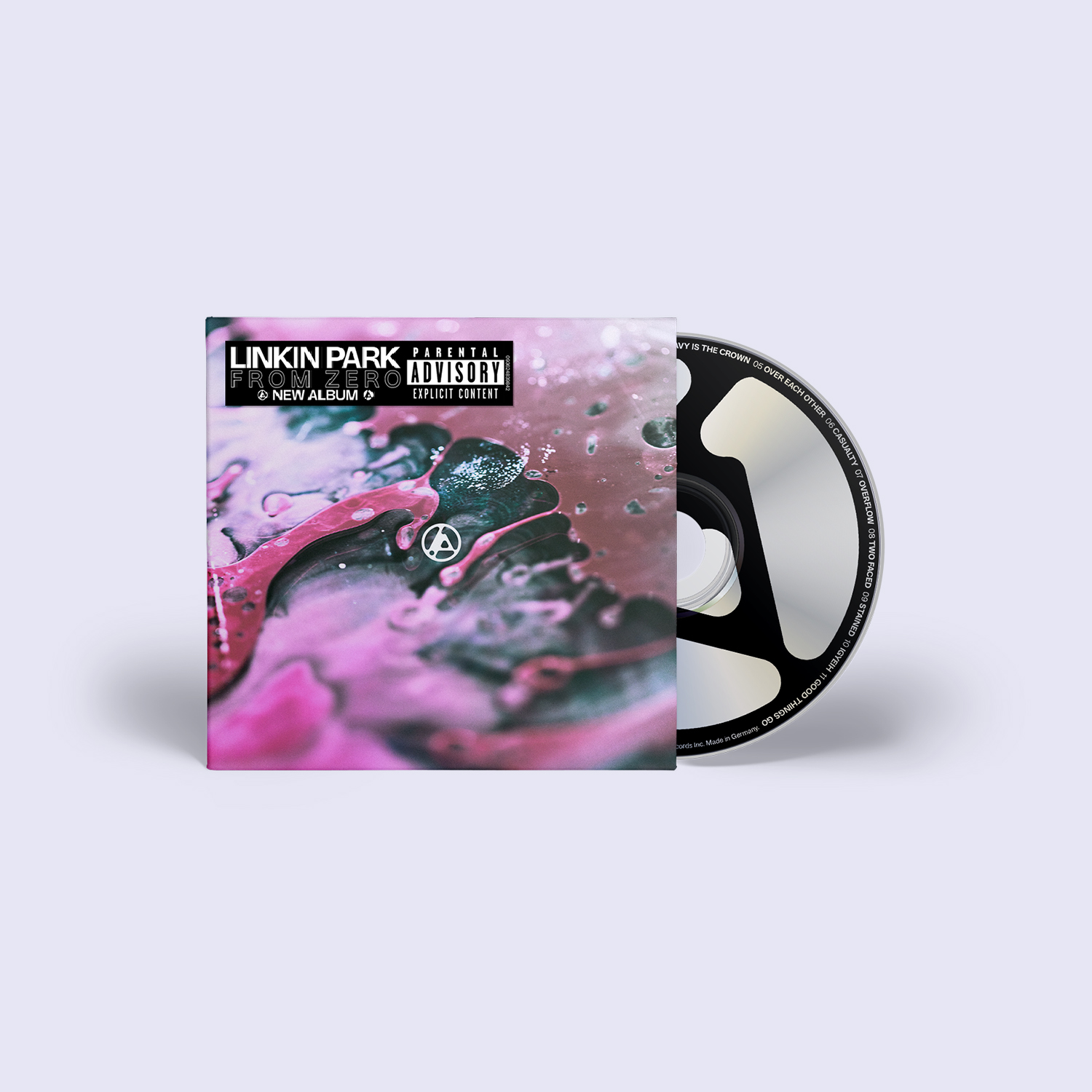
Let me start off by saying I’ve been a huge fan of Linkin Park since day one basically. When they released their first single I was still living in Houston, TX at the time. Houston is a city that’s big on music and not just country music as a lot of people seem to think. As the single One Step Closer started getting air play, it was getting a ton of it on stations like 94.5 The Buzz there in Houston, so I had no choice but to hear it as that’s the station I was listening to mostly at the time. I instantly fell in love with the tones, the beats, the sounds and just the over all energy of the song and the band. I was hooked and have been ever since. There was just something very catching about Chester Bennington’s voice that still resonates with me today, even seven years after his passing. When Chester passed away, that hit hard with me. It was actually one famous person passing that affected me more than I thought it would. Not in terms of mental or emotional to where I was suffering from mental health issues or anything similar, just the fact that he was such an amazing singer and artist and knowing that we’d never hear anything else from him again. And of course not knowing if we’d ever hear anything new from Linkin Park themselves which again was tough since I loved their music so much. Let’s fast forward seven years after Chester’s passing and to the news that we got on Thursday, September 5th, 2024 with regards to Linkin Park officially being back together and announcing a new singer, and let’s not forget, a new drummer too. It was news that had been rumored for a while that LP would be announcing a female singer, but then also there were rumors of other singers too that were male. Nobody really knew who it was going to be or even when. Then comes the countdown event on their YouTube that ended up being kind of nothing more than announcing a date of September 5th. A date I quickly got excited for, but wasn’t sure what to expect. I then had a friend in a Discord server post a link that Linkin Park had just announce [Emily Armstrong]( ) of Dead Sara as their new lead singer. I was instantly shocked, mind blown and many other things. Why you ask? Mainly because I have listened to a bit of [Dead Sara]( ) so I was familiar with Emily and her sound. I was instantly hyped to hear her do some old Linkin Park songs to see how she could handle it. Little did I know at that exact moment, but LP was doing a 15 song show to introduce her and Colin Brittain, who was the new drummer replacing Rob Bourdon. I instantly tuned in, which you can go back and watch here if you’d like. https://www.youtube.com/live/IL1nlWOciL0?si=OZ4GPNGPVPGXSbgc Listening in and the instant Emily sang her first note, I knew this was the one who belonged in Linkin Park at this time. Not someone to replace Chester of course, as Chester can’t and never will be replaced. That’s not what the band wants or desires to do. Instead, this is simply a new chapter for them. Linkin Park 2.0 if you will. Someone to do the best they can possibly do to fill his shoes and carry on the legacy in his name, in LP’s name and hopefully make Chester proud. I personally feel Emily can and will do all of these things and she’s going to do it with ease. So let’s talk about Emily herself and why I feel she’s going to be the perfect fit for Linkin Park going forward. First and foremost, she can sing and she can do so damn well. She has a beautiful voice when she sings. Plus like Chester himself, she’s what they call a scream singer. Again, like when she sings, she can scream and make it sound so good and she does it with little to no effort. She pours all of her emotions into both her singing and her screaming, and that is something very important. For me, while the acoustics at the From Zero live event weren’t the best, Emily and the band did really well together. They looked natural and as if they had been doing this for years. Which oddly enough, they have been working together off and on for a bit over 5 years now. With what they had to work with in the setting they were in, Emily sounded good. You can really see and hear her range from singing softly to screaming those parts within songs that Chester did for nearly 20 years. Let’s not forget that the very first song was actually a brand new song, [The Emptiness Machine]( ), that will be included on the upcoming [From Zero]( ) album that will be released on November 15th, 2024. The new song sounded really good. What was even better was, LP had announced that the new single and video for that single would be available publicly right after the show via their official YouTube. This is where Emily’s true talent was really shown in my opinion. Have a studio recorded song and video without all the crazy, silly, not so good acoustics of a live show really showcases what she can do both while singing and screaming. While there’s not a lot of screaming on The Emptiness Machine, at least not like former Linkin Park is concerned, she does show off a bit of her scream talent and I’m here for it. It’s going to be interesting to see if the fans accept her or not. LP has a very large fan base as we all know and I’ll be curious to see if the larger part of them accepts her or rejects her for whatever reason. There are sadly already people giving her a tough time for her religious preference which is Scientology. Not sure why these people feel it’s necessary to give her a hard time about this, when they themselves have their own religion that others don’t like or feel do a lot of bad things. To me personally, I don’t care what religion she chooses to embrace. That’s up to her and her alone. That’s not for me to judge and I don’t feel others should judge anyone else, especially when they themselves make mistakes or have different religious or political beliefs. But that’s a completely different post from what this is all about. So what does the future hold for Linkin Park? Obviously nobody knows that and doubtful that we will have any kind of clue for a while yet. The band are certainly optimistic and hoping that they continue down the road of success just as they did originally with the original line up that included Chester before he passed away. I’m hoping that happens and I feel they have a great chance of making it happen as I firmly believe Emily is a great addition and one that can help lead down that path. I’m certainly curious to hear your thoughts about the new Linkin Park with Emily Armstrong. What do you think about her voice? Do you feel she’s the right choice or fit for Linkin Park going forward? Do you feel that after seven years it’s the right time for LP to now move forward and do new stuff without Chester? I’d love to hear what you have to say and what you feel with regards to all of this as well as your thoughts on the new song The Emptiness Machine and if you’re excited about the new album, From Zero, or not. #Alternative #Bands #ChesterBennington #EmilyArmstrong #LinkinPark #LP #Music #RockMusic
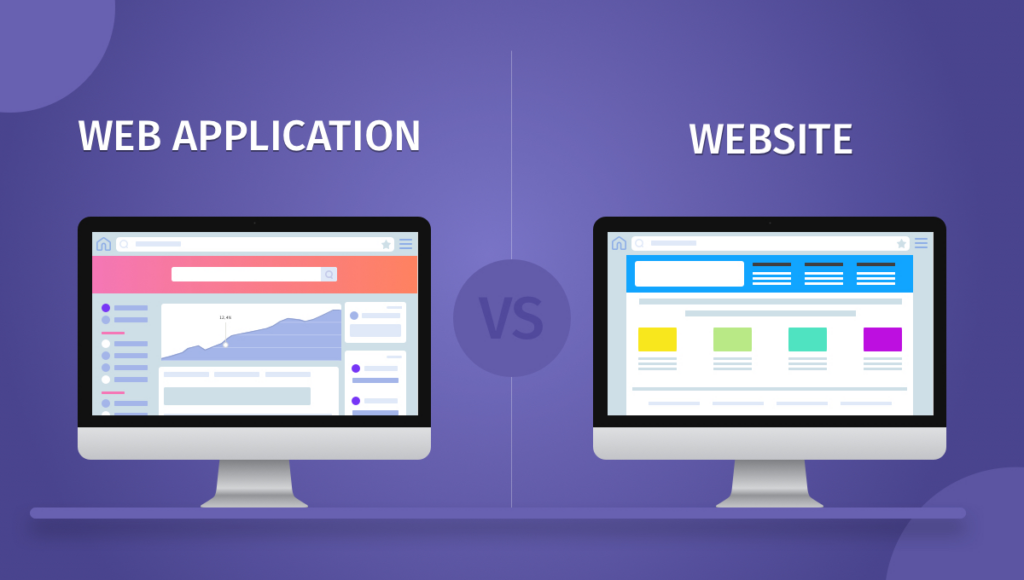
## What Are And How To Install Web Apps For The FediverseOver the years, people have often considered apps and websites to be two totally different things. In some cases they certainly are, but in other cases they can be one in the same for the most part. Today, I’m going to explain what the differences are and how to install websites as web apps on your device.## What Is The Difference Between A Web App And A Website?A website is a series of webpages that are typically accessed through a web browser and are hosted on a web server. A web application is a software program that is accessed through a web browser and runs on a web server. The main difference is that a website is static and a web application is dynamic. A web application is more interactive and dynamic, often providing functionality, interactivity, and data processing beyond what a static website offers which often makes them more useful in various ways.## Should I Use A Website Or A Web App?That decision is really up to you and what you need, want or prefer. Websites can certainly be useful or quick to use and navigate, while the web app version might give you more control as far as customization or even options and settings are concerned.## How To Install Web Apps On An Android Device<li>Open the web browser of choice and navigate to your servers website. For example, I would navigate to <a href="https://allthingstech.social">AllThingsTech.social</a> which is my server/instance.</li><li>Log into your account for your server/instance.</li><li>Open the browsers options menu which is usually the over flow button(︙) often located in the top right corner.</li><li>Click on Install App</li><li>You should get a prompt asking for confirmation of the install and you’ll simply click Install.</li><li>Click on the new icon that was just created and log into your server/instance once again.</li>**Special Note**: Often times Android won’t allow you to install a web app if you’re not logged into your account via the browser you’re trying to install from. Therefore it’s always suggested to be logged into your server/instance first before attempting to install it as a web app.## How To Install Web Apps On An iOS Device<li>Open the browser of your choice and navigate to your servers website. For example, I would navigate to <a href="https://allthingstech.social">AllThingsTech.social</a> which is my server/instance.</li><li>Click the Share icon at the bottom of the screen. This icon looks like a box with an arrow pointing upwards.</li><li>Scroll through the options and click Add To Home Screen.</li><li>Give the icon any name you want and confirm the installation by clicking Add.</li><li>Click on the new icon that was just created and log into your server/instance once again.</li>## Do Web Apps Provide Notifications?Yes, now days due to how popular and how often used web apps are, notifications will work just like they would for a regular app in most cases. These notifications can be controlled from within the web app itself or your System Settings. Often times, you can control notifications from either/or of the above mentioned.## Are Progressive Web Apps Something Different?Progressive Web Apps, or PWA’s as they are referred to in short term, is just a different name for a web app. While sure, there can be slight differences in how they behave or other things, they will almost always act the same. Just a newer term for a newer era so to speak.## Aren’t These All Just Bookmarks?Web Apps and bookmarks serve different purposes within your browser. Below is a list of the key differences between web apps and bookmarks.## Web Apps<li><strong>Functionality</strong>: Web apps are standalone applications that run in the browser, often providing a more interactive and feature-rich experience. They can work offline and may have access to device hardware.</li><li><strong>Installation</strong>: Users can install web apps directly from the app web store, website and other places. Once installed, they appear in the app launcher or as a shortcut on the desktop.</li><li><strong>User Interface</strong>: Web apps can offer a custom user interface and may resemble native applications, with their own windows and menus.</li><li><strong>Updates</strong>: Web apps receive updates automatically from the developers, ensuring users have the latest features and improvements.</li>## **Bookmarks**<li><strong>Functionality</strong>: Bookmarks are simply saved links to web pages. They allow users to quickly access their favorite sites without needing to remember or type the URLs.</li><li><strong>Storage</strong>: Bookmarks are stored in the browser and can be organized into folders for easier navigation.</li><li><strong>Access</strong>: Users can access bookmarks from the bookmarks bar, the bookmarks menu, or through the bookmarks manager. They do not have a separate window or interface like web apps.</li><li><strong>Static</strong>: Bookmarks do not change unless manually edited or deleted; they simply point to the same URL unless the page itself changes.</li>## Fediverse Apps That Can Be Installed As A Web App?Below is a list of a few different Fediverse apps that you can easily and quickly install as a web app. This is far from a complete list as there are likely hundreds that can be installed as a web app. If you’d like to have your Fediverse site added to this list for others to discover, please let me know and I will add it accordingly.<li><a href="https://joinmastodon.org">Mastodon</a></li><li><a href="https://pixelfed.org" target="_blank" rel="noreferrer noopener">Pixelfed</a></li><li><a href="https://writefreely.org">WriteFreely</a></li><li><a href="https://phanpy.social">Phanpy</a></li><li><a href="https://trunks.social">Trunks</a></li><li><a href="https://owncast.online">OwnCast</a></li><li><a href="https://joinpeertube.org">PeerTube</a></li><li><a href="https://joinbookwyrm.com">BookWyrm</a></li><li><a href="https://elk.zone">Elk</a></li><li><a href="https://statuzer.com">Statuzer</a></li> Hopefully this article helps you understand a bit more of what the differences are between a website and a web app, or a PWA as they are often referred to now days. If you have any questions, comments or suggestions feel free to let me know. You can connect with me via Mastodon here: [Cliff On Mastodon](https://allthingstech.social/@cliffwade ) or you can simply comment below. #AllThingsTech #Apps #Mastodon #ProgressiveWebApps #PWA #Shortcuts #SocialMedia #Technology #WebApps image
If you’ve ever wanted to know a bit about who Cliff(that’s me by the way) is, then this is the place to find that information. I call it my user manual and it’s to help others get to know and understand who I am and what I’m about.## Favorite QuoteDo or do not, there is no try! – Yoda## PronounsHe/Him/His## Languages I speak/knowEnglish## Time ZoneWinston Salem, NC – EST## Fun Fact About MeI once jumped off of the Stratosphere Hotel in Las Vegas.## Best ways to communicate with meAsynchronous is the way to go for me personally. I don’t particularly like meetings, but I understand they are necessary, important or even easier at times. I much prefer to do my chatting on [Discord]( ) or [Mastodon](https://allthingstech.social/@cliffwade ) if we can. If we must have a meeting like a Zoom call, then please make sure to give a considerable enough of notice.## When I do my best workI do my best work when I’ve got some music playing in the background and am in my office/computer room without interruptions. I get in the zone and just do what needs to be done.## StrengthsWorking remote – From the comfort of my own home. I’ve done this for the last 9 years and I have found that it’s the best way for me to work at most any time. Punctual – My Pops taught me to always be early, not just on time. If the schedule says to be at work at 7am, then expect me to show up by 6:30am. Communication – It’s something I’ve done all of my career as I’ve always worked in retail, sales, management or similar other things that require a ton of communication. It’s simply something I feel I excel at in numerous ways.## Personal interestsVideo games. I have been playing them since 1976 or so and still do to this very day. I don’t see that changing anytime soon, hopefully. Music, music, music! I can’t survive or focus without music. It’s what puts me in the zone and allows me to do whatever it is I need or want to do. Iced coffee. I can’t start my day without this. Be it good for me or not, it’s one thing I do every single day right after waking up and giving the cats their treats.## What I’ve done in my work careerI’ve done a lot of different things over the years, but the majority of the time my work has been customer service, customer support, retail, sales, fast-food, management and community management or social media manager type work. #AboutMe #Career #Computers #PC #Quotes #Strengths #Technology #TimeZone #UserManual image
(This is a [/now page]( ), and if you have your own site, [you should make one]( ), too.)## What I’m Watching<li><a href="https://www.cbs.com/shows/big_brother/">Big Brother</a></li><li><a href="https://www.cbs.com/shows/survivor/">Survivor</a></li><li><a href="https://go.discovery.com/show/deadliest-catch-discovery">Deadliest Catch</a></li><li><a href="https://www.discoveryplus.com/show/love-off-the-grid-us">Love Off The Grid</a></li>## What I’m Currently Making<li><a href="https://SeerOfSouls.com/" data-type="link" data-id="https://SeerOfSouls.com/" target="_blank" rel="noreferrer noopener">Personal Blog/Website</a></li><li>Job Hunting</li><li><a href="https://blog.allthingstech.social" target="_blank" rel="noreferrer noopener">AllThingsTech Blog</a></li>## What I’m Currently Enjoying<li>Playing video games</li><li>Watching TV shows with the wife</li><li>Staying inside out of the heat</li>## Music I’m Listening To<li><a href="https://music.youtube.com/channel/UCPC0L1d253x-KuMNwa05TpA" target="_blank" rel="noreferrer noopener">Taylor Swift</a></li><li><a href="https://music.youtube.com/channel/UCCL-yoaPLR-7bxZM1xlcQcQ" target="_blank" rel="noreferrer noopener">Bon Jovi</a></li><li><a href="https://music.youtube.com/channel/UCaeBWvnAVVgyfFT-gnWwURg" target="_blank" rel="noreferrer noopener">Motley Crue</a></li><li><a href="https://music.youtube.com/channel/UC0_1glf30IS53tFQWT8xpxw" target="_blank" rel="noreferrer noopener">Jelly Roll</a></li><li><a href="https://music.youtube.com/channel/UCjS9WiKfJgltFPDecfIHtDg" target="_blank" rel="noreferrer noopener">Sleep Token</a></li>## Video Games I’m Currently Playing<li><a href="https://en.wikipedia.org/wiki/Fortnite" target="_blank" rel="noreferrer noopener">Fortnite</a></li><li><a href="https://pathofexile.com">Path Of Exile</a></li>## Android Apps I’m Currently Using<li>Launcher: <a href="https://play.google.com/store/apps/details?id=com.teslacoilsw.launcher" target="_blank" rel="noreferrer noopener">Nova Launcher</a> and <a href="https://play.google.com/store/apps/details?id=com.teslacoilsw.launcher.prime" target="_blank" rel="noreferrer noopener">Nova Launcher Prime</a></li><li>Icon Pack: <a href="https://play.google.com/store/apps/details?id=com.pashapuma.oneyou.icons" target="_blank" rel="noreferrer noopener">OneYou Icons</a></li><li>E-Mail Client: <a href="https://play.google.com/store/apps/details?id=ch.protonmail.android" target="_blank" rel="noreferrer noopener">Proton Email</a></li><li>Photo Management: <a href="https://photos.google.com" target="_blank" rel="noreferrer noopener">Google Photos</a></li><li>File Explorer: <a href="https://play.google.com/store/apps/details?id=pl.solidexplorer2" target="_blank" rel="noreferrer noopener">Solid Explorer</a></li><li>Ride Sharing: <a href="https://play.google.com/store/apps/details?id=com.ubercab" target="_blank" rel="noreferrer noopener">Uber</a></li><li>Communication: <a href="https://play.google.com/store/apps/details?id=com.google.android.apps.messaging" target="_blank" rel="noreferrer noopener">Google Messages</a>, <a href="https://slack.com" target="_blank" rel="noreferrer noopener">Slack</a>, <a href="https://chat.allthingstech.social" target="_blank" rel="noreferrer noopener">Discord</a>, <a href="https://play.google.com/store/apps/details?id=com.facebook.orca" target="_blank" rel="noreferrer noopener">Messenger</a></li><li>Social Media: <a href="https://allthingstech.social/@cliffwade" target="_blank" rel="noreferrer noopener">Mastodon</a>, <a href="https://instagram.com/cliffwade" target="_blank" rel="noreferrer noopener">Instagram</a>, <a href="https://facebook.com/MrCliffWade" target="_blank" rel="noreferrer noopener">Facebook</a>, <a href="https://slack.com" target="_blank" rel="noreferrer noopener">Slack</a>, <a href="https://chat.allthingstech.social" target="_blank" rel="noreferrer noopener">Discord</a></li><li>Note Keeping: <a href="https://keep.google.com" target="_blank" rel="noreferrer noopener">Keep Notes</a></li><li>Cloud Storage: <a href="https://play.google.com/store/apps/details?id=me.proton.android.drive">Proton Drive</a></li><li>Browser: <a href="https://vivaldi.com" target="_blank" rel="noreferrer noopener">Vivaldi</a></li><li>Music: <a href="https://music.youtube.com" target="_blank" rel="noreferrer noopener">YouTube Music</a>, <a href="https://spotify.com" target="_blank" rel="noreferrer noopener">Spotify</a></li><li>Password Management: <a href="https://play.google.com/store/apps/details?id=proton.android.pass" target="_blank" rel="noreferrer noopener">Proton Pass</a></li><li>Search Engine: <a href="https://kagi.com" target="_blank" rel="noreferrer noopener">Google</a></li><li>Two-Factor Authentication: <a href="https://play.google.com/store/apps/details?id=com.beemdevelopment.aegis" target="_blank" rel="noreferrer noopener">Aegis</a></li>## iOS Apps I’m Currently Using Updated Today!<li>E-Mail Client: <a href="https://apps.apple.com/us/app/proton-mail-encrypted-email/id979659905" target="_blank" rel="noreferrer noopener">Proton Email</a></li><li>Photo Management: <a href="https://apps.apple.com/us/app/photos/id1584215428" target="_blank" rel="noreferrer noopener">Photos</a>, <a href="https://apps.apple.com/us/app/google-photos-backup-edit/id962194608" target="_blank" rel="noreferrer noopener">Google Photos</a></li><li>Ride Sharing: <a href="https://apps.apple.com/us/app/uber-request-a-ride/id368677368" target="_blank" rel="noreferrer noopener">Uber</a></li><li>Communication: <a href="https://apps.apple.com/us/app/messages/id1146560473" target="_blank" rel="noreferrer noopener">Messages</a>, <a href="https://apps.apple.com/us/app/slack/id618783545" target="_blank" rel="noreferrer noopener">Slack</a>, <a href="https://apps.apple.com/us/app/discord-chat-talk-hangout/id985746746" target="_blank" rel="noreferrer noopener">Discord</a>, <a href="https://apps.apple.com/us/app/messenger/id454638411" target="_blank" rel="noreferrer noopener">Messenger</a></li><li>Social Media: <a href="https://apps.apple.com/us/app/mona-for-mastodon/id1659154653" target="_blank" rel="noreferrer noopener">Mona for Mastodon</a>, <a href="https://apps.apple.com/us/app/instagram/id389801252" target="_blank" rel="noreferrer noopener">Instagram</a>, <a href="https://apps.apple.com/us/app/facebook/id284882215" target="_blank" rel="noreferrer noopener">Facebook</a>, <a href="https://apps.apple.com/us/app/slack/id618783545" target="_blank" rel="noreferrer noopener">Slack</a>, <a href="https://apps.apple.com/us/app/discord-chat-talk-hangout/id985746746" target="_blank" rel="noreferrer noopener">Discord</a></li><li>Note Keeping: <a href="https://apps.apple.com/us/app/google-keep-notes-and-lists/id1029207872" target="_blank" rel="noreferrer noopener">Keep Notes</a></li><li>Cloud Storage: <a href="https://www.icloud.com" target="_blank" rel="noreferrer noopener">iCloud</a>, <a href="https://apps.apple.com/us/app/proton-drive-cloud-storage/id1509667851" target="_blank" rel="noreferrer noopener">Proton Drive</a></li><li>Browser: <a href="https://apps.apple.com/us/app/vivaldi-powerful-web-browser/id1633234600" target="_blank" rel="noreferrer noopener">Vivaldi</a></li><li>Music: <a href="https://apps.apple.com/us/app/youtube-music/id1017492454" target="_blank" rel="noreferrer noopener">YouTube Music</a>, <a href="https://apps.apple.com/us/app/spotify-music-and-podcasts/id324684580" target="_blank" rel="noreferrer noopener">Spotify</a></li><li>Password Management: <a href="https://apps.apple.com/us/app/proton-pass-password-manager/id6443490629" target="_blank" rel="noreferrer noopener">Proton Pass</a></li><li>Search Engine: <a href="https://google.com" target="_blank" rel="noreferrer noopener">Google</a></li><li>Two-Factor Authentication: iCloud Keychain</li><li>Widgets: <a href="https://apps.apple.com/us/app/widgetsmith/id1523682319" target="_blank" rel="noreferrer noopener">WidgetSmith</a>, <a href="https://apps.apple.com/us/app/widgy-widgets-home-lock-watch/id1524540481" target="_blank" rel="noreferrer noopener">Widgy</a></li> #Now #AboutMe #Now #NowPage #Technology image

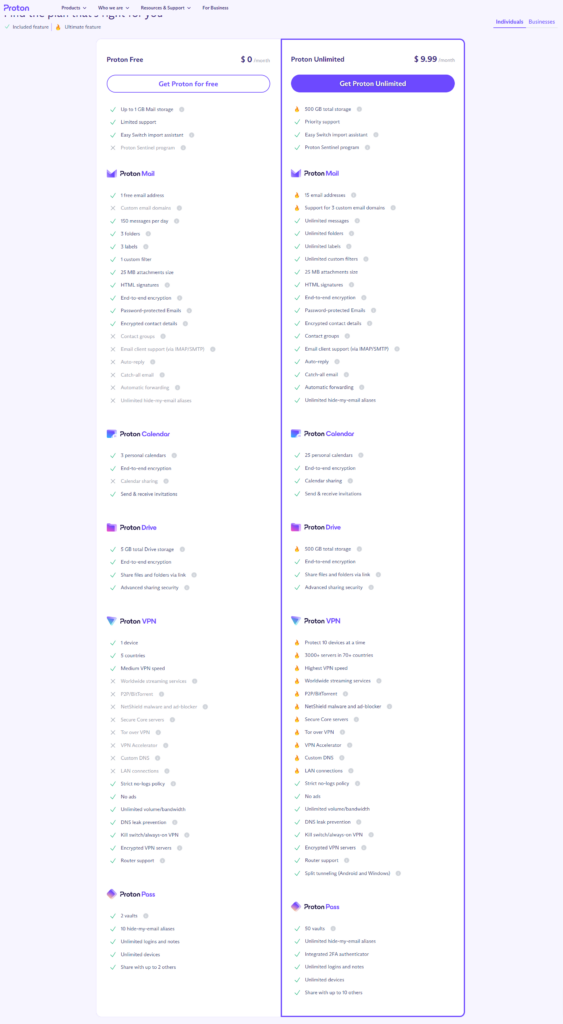
## Why You Should Be Using A Password ManagerIn today’s world we have some kind of login information for just about every site we visit frequently. From our email accounts, banking accounts, credit card accounts and so much more. It can be tough to memorize each and every password for each different site, especially since it’s never recommended to use the same password for more than one site. Not to mention, it can be tough to come up with a strong enough password for each site that’s easy enough for us to remember. This is where password managers come into play and I feel it’s very important that everyone should be using one. ## What Exactly Is A Password Manager?Password managers are apps that generate new, random passwords for all the sites you visit. They store these credentials for you in a secure virtual vault. Then, when you visit a site or open an app where you need to log in, the password manager automatically fills in your login name and password for you. Most password managers can also fill in your personal information, like name, address, and credit card number on web forms to save you time during account creation or checkout when making a purchase online. Some password managers can store your important documents or other credentials like safe codes and medical information in the vault, too. Another great thing that a really good password manager will do is to let you know if your existing passwords are weak, reused on another site or have shown up in a data breach or something similar. This is very important and can really help you suggest and create new, strong and unique passwords for any login you might need it for. I also recommend that when you use your password manager to create passwords for you, that you set it to at least 24 characters and have it use uppercase, lowercase, numbers and special symbols/characters. This just helps create more secure passwords.## Are Password Managers Free?There are indeed many password managers out there that are available for free today. Most have a free plan and a paid plan. The free plans will often have limitations of some sort put into place. This is of course to help persuade you to pay for a plan to get more features. Some of these paid for features are things like being able to create longer, more secure passwords, sync across multiple devices and other very useful and often needed features. I personally use [Proton Pass]( ) currently, but that’s because it comes with paying for a [Proton Mail]( ) account. Because I pay for Proton Mail, I get Proton Pass, Proton VPN, Proton Drive and more included with my service. I previously was using [Bitwarden]( ) which was a really good password manager that has tons of options and features. I only switched to Proton Pass since it was included when I made the move from Gmail to Proton Mail. Prior to that I was with LastPass for a lot of years. Back when they were really good and password managers were still relatively new. Today, I wouldn’t recommend them personally as they have had some issues over the last few years.## Test New Password Managers FirstIt is very important to choose a password manager that’s going to work best for you and your use. This means little things like making sure it works on all of the devices you use. Be it Windows, Linux, Android, iOS or any other platforms you might use that you could use it with. Remember, most password managers have a free trial or just a free version in general that you can use for a few weeks or so to see if it meets all of your needs. Once you find one that really works best for you, then it’s up to you if you move to a paid plan or not. You may or may not need or even want do that. That choice is strictly up to you. Another important thing to think about during this testing phase, is if you will be using this by yourself, or if you’ll want to have family members use it as well. Very important to know especially when it comes to a paid plan as then price comes into play.## Apply Multi-Factor Authentication To Your AccountOne way to mitigate the risk of an attack on your password manager is to use multi-factor authentication (MFA) to secure your account. MFA simply means that to unlock your password manager, you need something in addition to your master password. That something could be your fingerprint, your face or voice read by recognition software, a code sent to a mobile authenticator app, or a hardware security key. In addition, allowing access to the password manager only from registered, trusted devices can be another form of multi-factor authentication.## Password Manager Browser ExtensionsMost every password manager out there today has an extension that you can install into your browser to make using a password quick and easy. This used to not be the case back in the day, but in today’s world, it’s an absolute necessity due to how many passwords and such we’re storing. ## Set a Master PasswordOnce you’ve settled on the password manager of your choice, you have to set it up and protect it with a master password. Since you’re putting all your passwords in one place, i.e., the vault, you need to protect the vault with a master password. The master password encrypts the contents of your vault, so it needs to be super strong and something you will never forget. If you lose your master password, you lose access to all your logins in many cases (meaning you’ll have to do password resets for all your online accounts). If you choose a weak master password, you put all your credentials at risk. Take your time to pick a master password and just make sure it’s something you’ll always remember but make it something that’s not easy to figure out, such as your name, birth date, cats name or anything similar. If need be, write it down on a piece of paper and put it in a locked safe or something similar within your house so that you can easily access it but others won’t be able to get to it so easily.## Let Your Password Manager Do The Work For YouAny time you visit a website that requires login information, let your password manager do the work for you. This means let it help you create a password for you as well as remember that password and username or anything else of importance. This is exactly what password managers are for. They do the work so that you don’t really have to in most cases. Once you have the information stored for a site, then any time you visit the login screen for that particular site, your password manager should offer to auto-fill that information for you. This is exactly the goal of using one in the first place. ## Final ThoughtsI firmly believe there is no reason that anyone shouldn’t be using password manager. As stated originally, we have so many login credentials that we have to know and try to remember that it’s nearly impossible for us to keep track of it all in our heads. Password managers do all of the work for us and they do very well. Therefore they make life easier for us when it comes to browsing and using the internet. If you’re not already using a password manager, ask yourself why and do yourself a favor and find one that’s good for you. If you are using a password manager, which one do you use? Let us know via the comments below and tell us what features/options you like best about it. If you’d like to follow me on Mastodon which is my social media platform of choice, you can do so by clicking the button below. [ ***Cliff On Mastodon***](https://allthingstech.social/@cliffwade ) #2FA #AllThingsTech #Android #Apps #Bitwarden #iOS #LastPass #Linux #Login #LoginCredentials #PasswordManager #Passwords #ProtonPass #Technology #TwoFactorAuthentication #Windows image