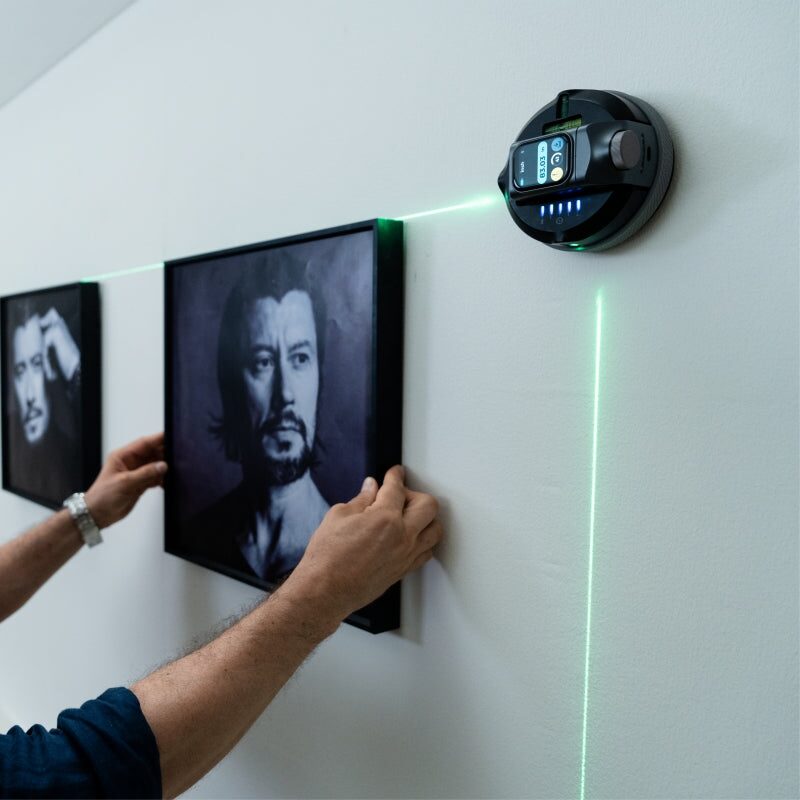
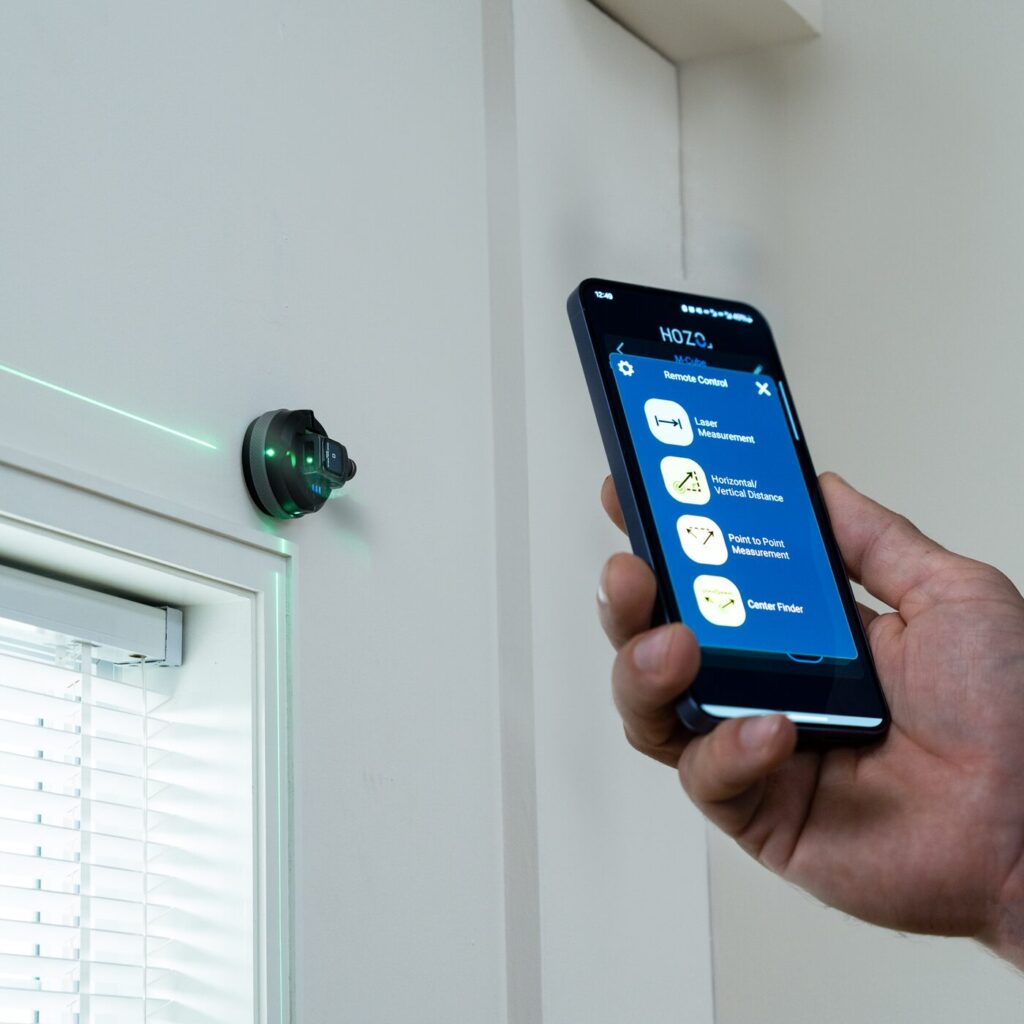
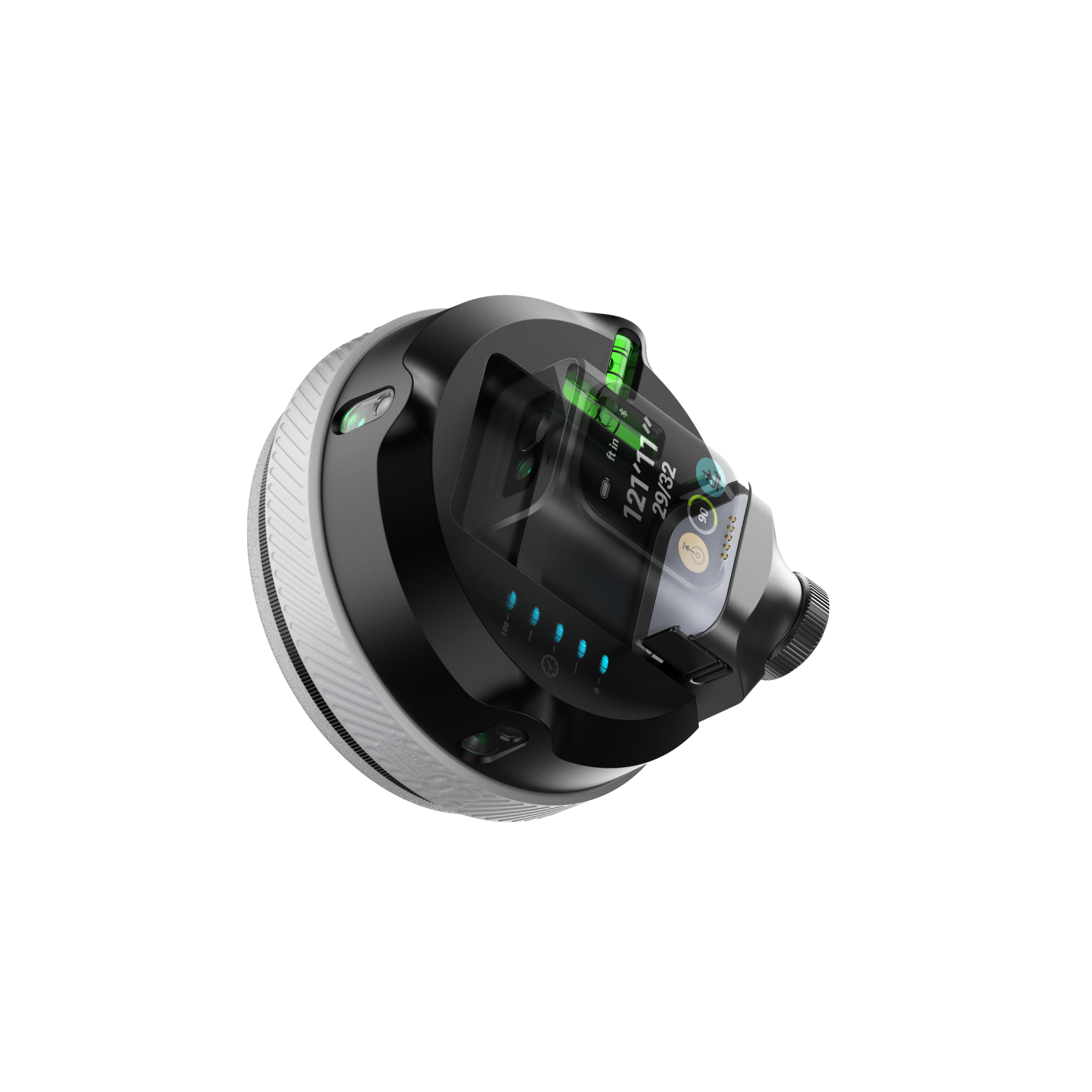
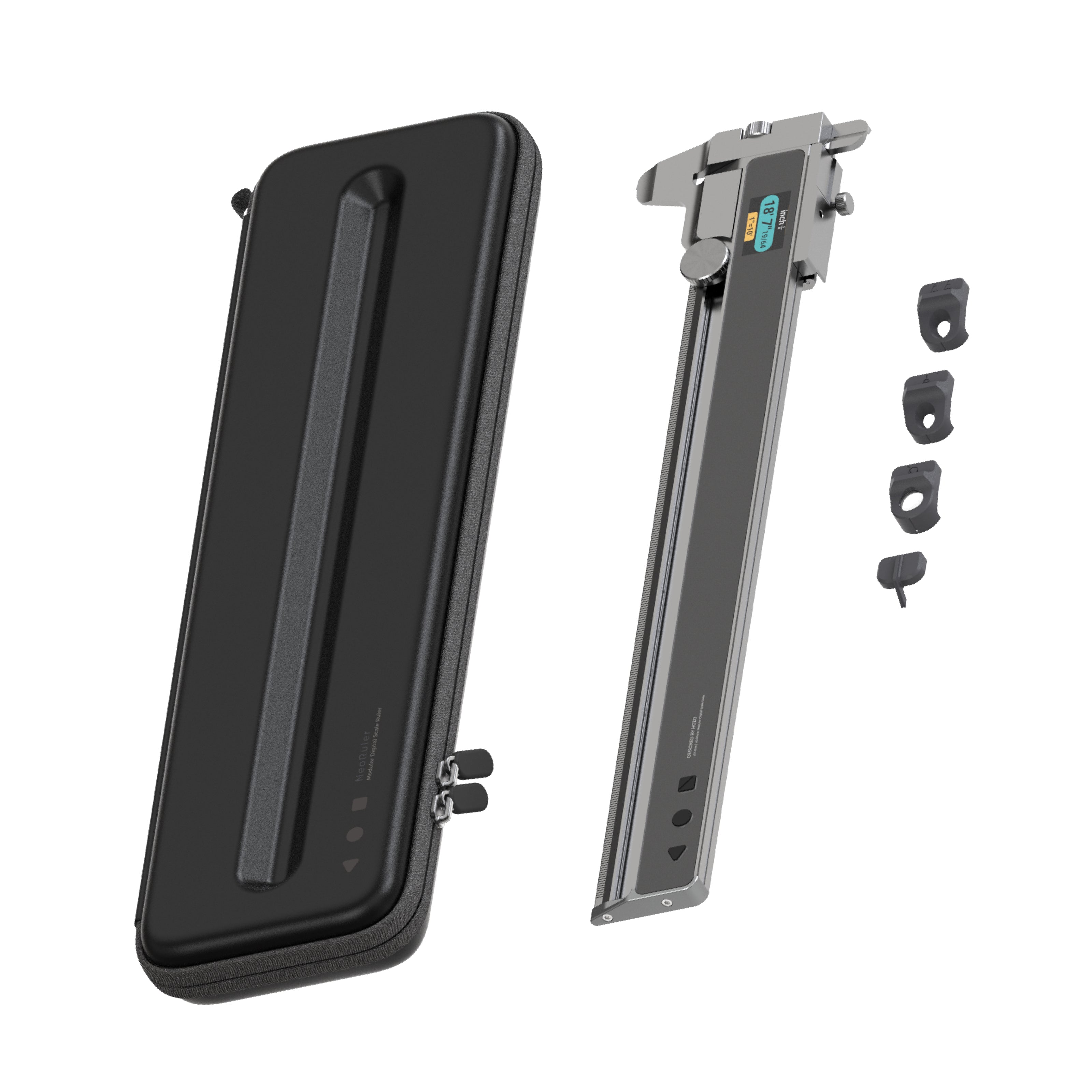
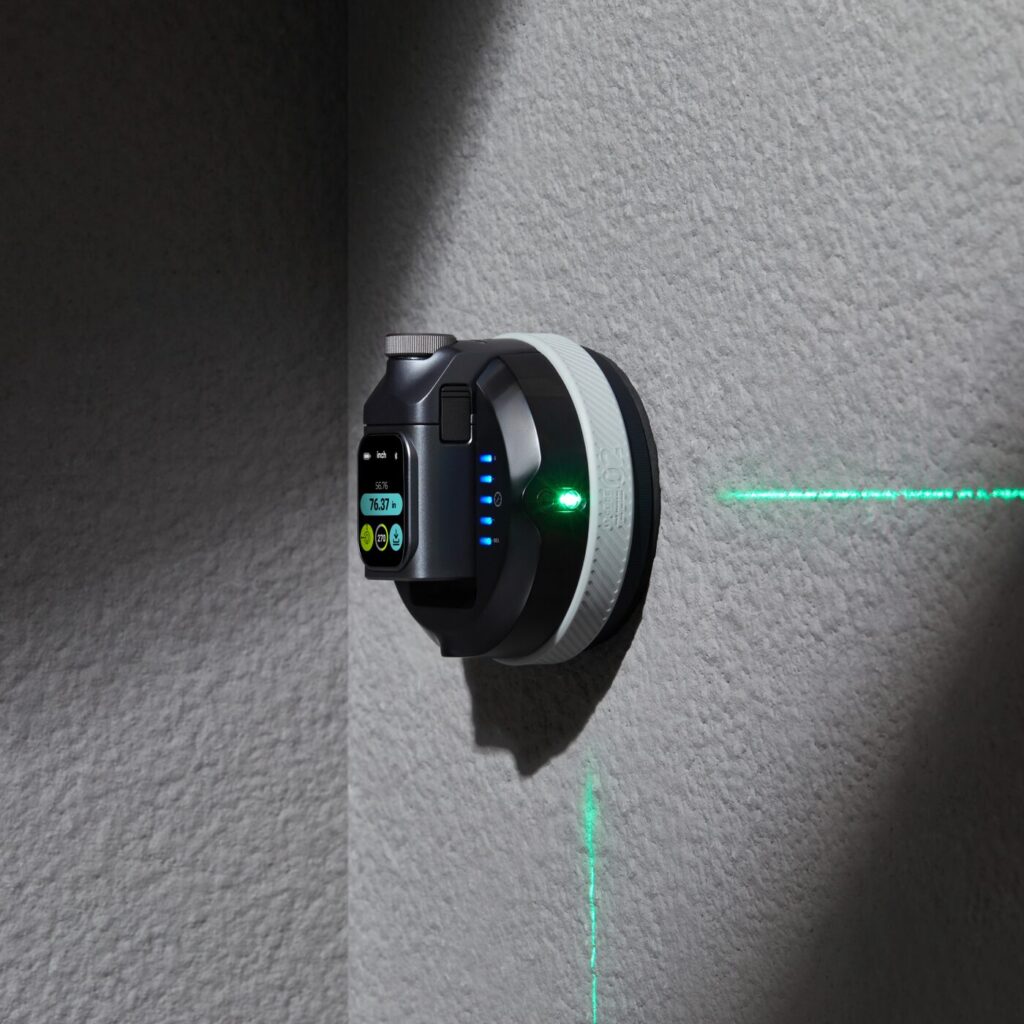
## Review: HOZO Design M-Cube 02 Anti-Gravity Laser LevelLet me start off by giving a huge thank you to the folks over at [HOZO Design]( ) for sending this product over to me. When I saw the press release I immediately knew I wanted to give this a try. Mainly because I have quite a few things hanging in my house that weren’t the easiest to hang due to being in multiple parts, and I wanted to go back and make sure they were actually level, and not just level to the eye.## What’s In The BoxM-Cube 00 Laser Measure – already mounted on the Laser Level<br>M-Cube 02 Laser Level<br>TargetMate (accessory)<br>GripMate (accessory)<br>CenterMate (accessory)<br>USB-C to USB-A charging cable<br>Large screw adapter for the AdaptMate<br>Several quick start books## Design And Build QualityI didn’t expect to be this impressed by a laser level the moment I pulled it out of the box, but the [HOZO Design M-Cube 02 Anti-Gravity Laser Level]( ) pulled me in pretty much instantly. First was by the quality of the product itself. Solid, well built and something that wasn’t made cheaply or in a rushed amount of time. If you’re like me and want to make sure all of the things hanging on your walls within your house are level, then this product is for you in so many ways. At $149, it’s not just another gadget but more of a tool that feels smart, solid, and genuinely helpful as well as very much useful. The M-Cube 02 has a compact, cube-like design, constructed from durable materials like ABS plastic, PC plastic, and aluminum alloy. Design elements include a vacuum suction pad, laser emitter, display screen, control buttons, battery indicator, Type-C charging port, modular interface, and LED indicator. The buttons on the side of the HOZO Design M-Cube 02 are very easy to press and are located in an easy to reach place on the product itself. I can’t stress enough how well thought out this product is when it comes to design and build quality.## Assembly, Installation And SetupI made sure the laser measure and Level were fully charged by plugging it in using the USB-C cable that was included in the box. I knew it was fully charged once all four LED lights lit up in a purple color. The next step was to calibrate the gryo in the laser measure. I had to remove it from the laser level and place it on a flat surface. I then went to the settings and pressed the calibrate icon, which only shows up when the measure is separated from the level. From there, I simply hit the calibrate button on the screen and followed the prompts. The next step was to place the product on its side and tap the calibrate button once again. In only a matter of seconds, the calibration was complete and I snapped the measure back to the level and was ready to start using the product. HOZO Design couldn’t have made this any simpler or quicker.## PerformanceThe first thing I did was put the product against one of my closet doors, only because I was standing right next to one and since it has a semi-gloss surface, I figured that might make it harder to stick to the surface. Much to my surprise, I placed it up there and hit the button to activate the suction and it instantly stuck to the door. I had to put absolutely no pressure of any kind. I then took it off the closet door and moved it over to the wall which has a flat surface with very minimal texture. Again, I held it up to the wall and pushed the button and just like that, it was once again stuck to the wall without applying pressure. Once it was mounted in the center of my wall, I selected the Mid-Point Finder on the screen. I had to rotate the top laser so it pointed at my first point, which I picked as the left wall. It then asked me to pick my second point which was the ceiling. The laser system is dual-color, which is a great touch. Red laser gives you tighter precision (±1/16 inch), while the green is a bit looser (±1/8 inch) but much easier to see in bright conditions. The angle accuracy sits at ±0.1°, which might sound small, but it makes a real difference when you’re aligning things like shelving or trim work. If you’ve already got the MEAZOR app, good news, it integrates with this module, giving you access to digital readouts and configuration options. It’s not essential, but it definitely adds polish to the experience.## Extra Accessories That MatterHOZO bundles in three key accessories: TargetMate, GripMate, and CenterMate. These aren’t gimmicks, they really do improve precision and make setup smoother on a wider range of surfaces. GripMate in particular is handy for slicker materials where the vacuum hold might need backup.## The MEAZOR AppThe MEAZOR app enhances the M-Cube 02’s functionality by providing remote control, real-time data display, data recording, advanced functions, firmware updates, floor plan capture (with some modules), unit conversion, and device settings customization.<strong>Remote Control</strong>: Users can control the M-Cube 02's functions directly from their smartphone or tablet, eliminating the need to physically interact with the device in many situations.<br><strong>Real-time Data Display</strong>: The app displays measurements and other data in real-time, allowing for precise adjustments and immediate feedback.<br><strong>Data Recording</strong>: Measurements can be recorded and stored within the app, facilitating documentation and reducing the risk of errors associated with manual transcription.<br><strong>Floor Plan Capture</strong>: In conjunction with compatible M-Cube modules, the app enables the creation of digital floor plans. This feature streamlines the process of surveying and mapping spaces.<br><strong>Unit Conversion</strong>: The app allows users to easily switch between different units of measurement (e.g., meters, feet, inches), increasing versatility and reducing the need for manual conversions.## Final ThoughtsThe [HOZO Design M-Cube 02]( ) isn’t just “a laser level.” It’s a precise, well-thought-out tool that respects your time and effort. It sticks to things without damaging them, saves you from extra trips up and down the ladder, and adapts to how you like to work. If you’re serious about getting things right the first time, or just want fewer crooked frames in your life, this is a worthy addition to your toolbox. At the time of this writing, the HOZO Design M-Cube 02 costs $149 USD which to me is a great price for what it does and everything it offers. While I haven’t looked specifically for this type of thing in stores, my guess is that something similar with as good quality as this would likely be closer to $300 USD. ## Other Products By HOZO DesignThe awesome folks at HOZO Design also sent me their [NeoRuler]( ) to review. I haven’t had much time with it as of yet, but hoping to do so this coming week, which means the following week I should have the review of that product published here as well. So keep your eyes peeled to the site for that review. I can give you a quick heads up, it’s yet another very well product what little bit I’ve used it so far. #AntiGravity #HOZODesign #LaserLevel #LaserMeasure #Level #MCube02 #Reviews #SmartLevel #Technology

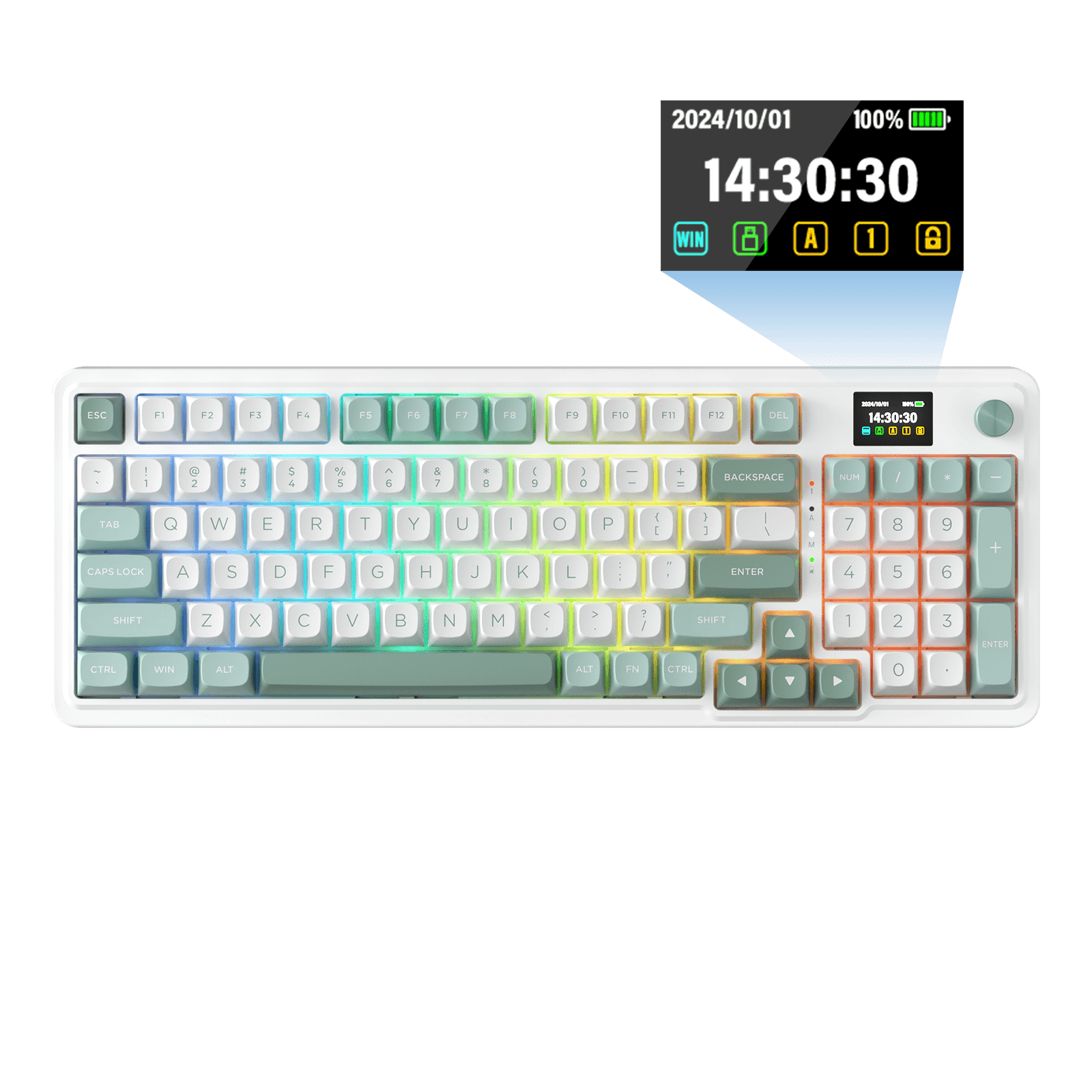
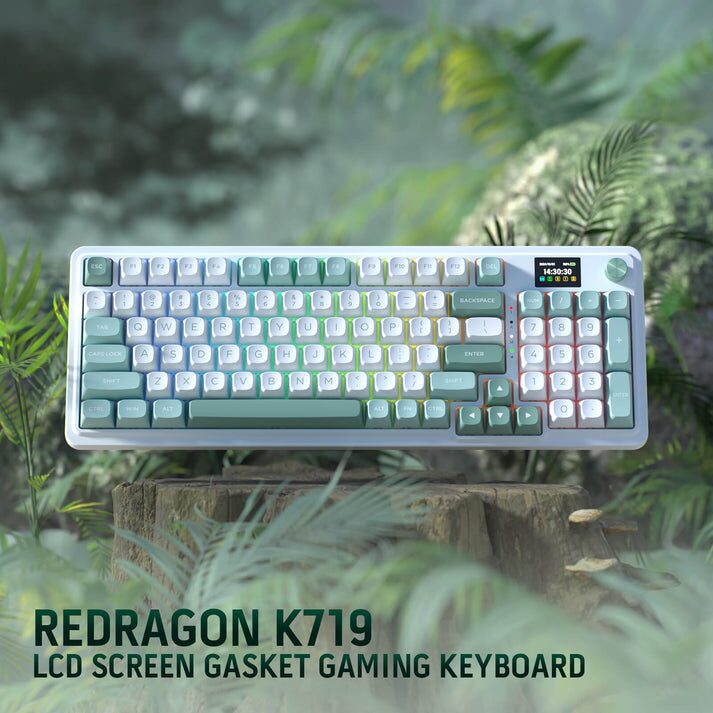
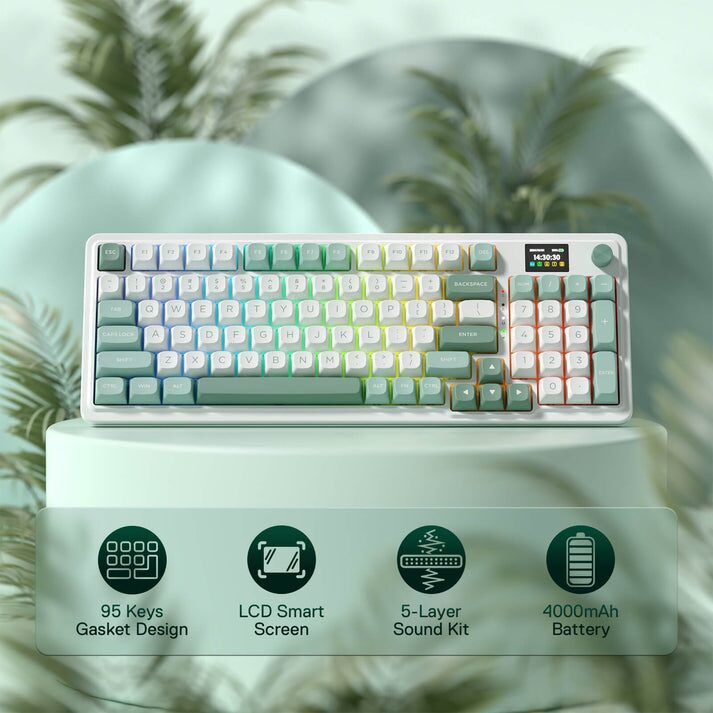
## Review: Redragon Galatin Pro K719 Gaming Keyboard With LCD ScreenThe Redragon K719, also known as the [Redragon Galatin Pro K719]( ), is a 95-key, compact wireless mechanical keyboard that has been making waves in the budget-friendly mechanical keyboard market. It aims to offer a premium experience with features like a customizable LCD screen, gasket mounting, and hot-swappable switches, without breaking the bank. As is always the case here, thanks to my awesome friends over at Redragon for sending this product over to me to use and to review. I’ve been working with them for since June 10th, 2020 and still enjoy reviewing anything they send my way. Let’s dive right into the review of this newest product, the Galatin Pro K719.## Build Quality And DesignAt first glance, the Galatin Pro K719 looks more premium than past Redragon keyboards. While it’s still made of plastic, the dual-tone keycaps, subtle branding, and minimalist frame make it look more refined than the flashy, RGB-heavy gaming keyboards they’ve been known for. One of the standout features is its gasket-mounted design. This mounting style, typically found in higher-end keyboards, uses gaskets to suspend the switch plate, providing a softer, more cushioned typing feel and improved acoustics. The K719 delivers a noticeable degree of flex and a more comfortable typing experience compared to traditional screw-mounted keyboards. The K719 comes with pre-lubricated stabilizers. While they represent an improvement over previous Redragon boards, they may still exhibit some minor rattle on larger keys like the spacebar. Many users in the mechanical keyboard community often replace stabilizers to further improve the sound and feel of their keyboards. The Galatin Pro K719 also features a multi-function control knob, typically used to adjust volume and control backlight brightness. A unique feature of the K719 is the 1.14-inch TFT LCD screen. This screen can display various information, including what connection mode the keyboard is currently using (USB, 2.4GH or Bluetooth), the battery level, typing status such as if the CAPS LOCK or Number Lock keys are enabled as well as customiable GIF’s, images and text. To me, this is likely the coolest feature of this keyboard as it’s just something you really don’t see on keyboards and to be honest, it can be very informative and helpful as well as just fun. I do want to give a special mention to the mint/green color scheme that is used on this keyboard. While I’m not a fan of green for the most part, I feel this is likely one of the prettiest keyboards Redragon has produced over the years since I’ve been reviewing their products. The colors just look amazing and flow so well together.## Battery LifeThe Redragon Galatin Pro K719 comes with a 4000mAh battery. As is always the case, battery life will vary depending on usage, RGB settings and connection mode. I couldn’t find where Redragon themselves stated what they thought the expected battery life is, so of course I did a test myself. With RGB enabled, I averaged about 45 hours of battery life. With RGB disabled, I got upwards of 175 hours on a regular basis. To me, this is pretty good battery life that most users will be very happy with. One nice feature of the Galatin Pro is that it has a sleep-mode, so when you’re not using the keyboard it will conserve power which in turn extends the battery life even further. Surprisingly, the LCD screen doesn’t appear to drain much battery. This is good since the LCD screen is almost always on and active and of course, it also displays your battery level so you’re always in the know of how much charge you have.## Galatin Pro SoftwareAs is the case with most all Redragon keyboards, the Galatin Pro K719 has software that you can download and install to control various aspects of the keyboard such as the RGB Lighting, Macros and of course the LCD screen. You’ll need the software to add GIF’s or images of any kind to the LCD screen. It’s very straight forward in how to do it and it actually provides quite a bit of customization with the image you upload. You can find the software here: [Redragon Galatin Pro K719 Software](📦.zip ).## FeaturesThe Galatin Pro K719 offers a range of features that enhance its versatility and functionality:<strong>Tri-mode Connectivity</strong>:&nbsp;It supports Bluetooth 5.0, 2.4GHz wireless, and wired USB-C connections, providing compatibility with various devices.<br><br><strong>Hot-swappable Sockets</strong>:&nbsp;This allows users to easily replace the switches without soldering, enabling customization of the typing feel and sound.<br><br><strong>RGB Backlighting</strong>:&nbsp;The keyboard features customizable RGB backlighting with various effects, allowing users to personalize their setup.<br><br><strong>Sound-absorbing Technology</strong>:&nbsp;The gasket mount design, along with a layer of silencing foam and a silicone pad, contributes to a quieter and more comfortable typing experience. The typing experience on the Galatin Pro K719 is generally positive. The gasket mount provides a cushioned feel, and the pre-lubed linear switches offer smooth key presses. The keyboard is suitable for both gaming and typing, offering a balance of responsiveness and comfort.## Discount CodeAgain, thanks to the awesome folks over at Redragon for allowing me to review this product and others that they have sent over in the past. They have also provided me with a special URL that anyone can use to save a total of 10% off of your entire purchase across their site. So if you’re interested in purchasing the [Redragon Galatin Pro K719]( ), or any of their products, you can click this link: [Save 10% On Your Entire Order]( ). I believe if you don’t click the link, you can always manually input ***DECRYPTED*** as the code during check out.## Final ThoughtsThe [Redragon Galatin Pro K719]( ) is a compelling option for those seeking a unique, feature-rich, and affordable mechanical keyboard. Its distinctive design, solid build quality, versatile connectivity, and comfortable typing experience make it a great choice for both gamers and typists. While it has some minor drawbacks, its strengths far outweigh its weaknesses. Currently priced at $74.99, it can be considered a bit more expensive for some users, but overall it’s a keyboard with great quality that I feel is certainly affordable. #Computers #GalatinPro #K719 #Keyboards #PC #Redragon #Reviews #Technology
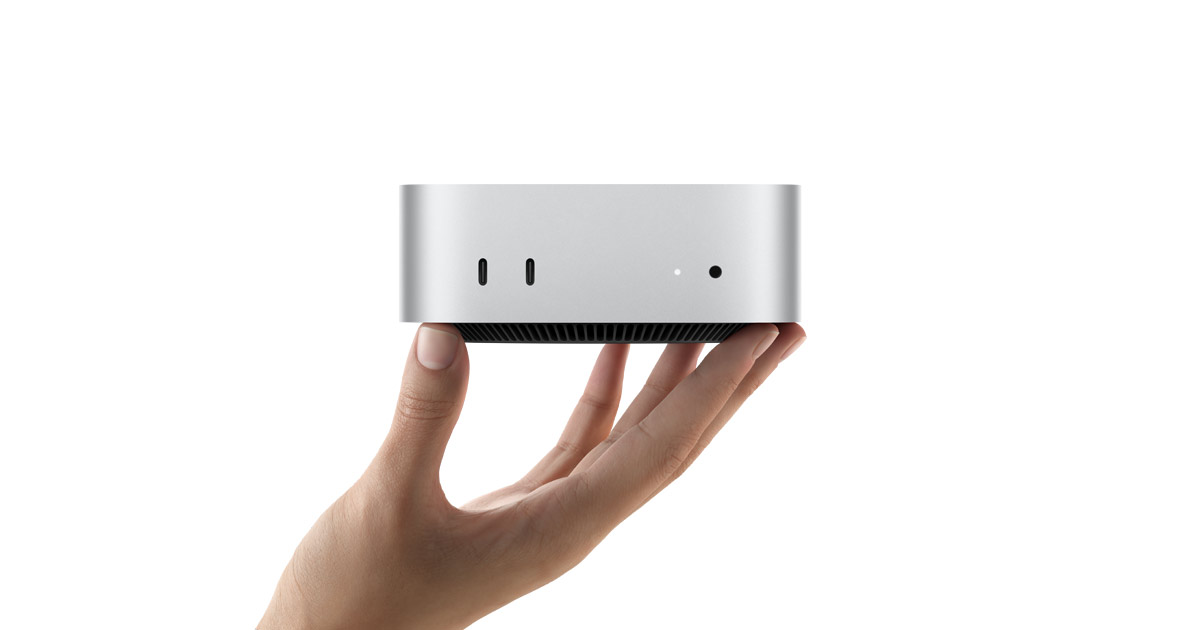
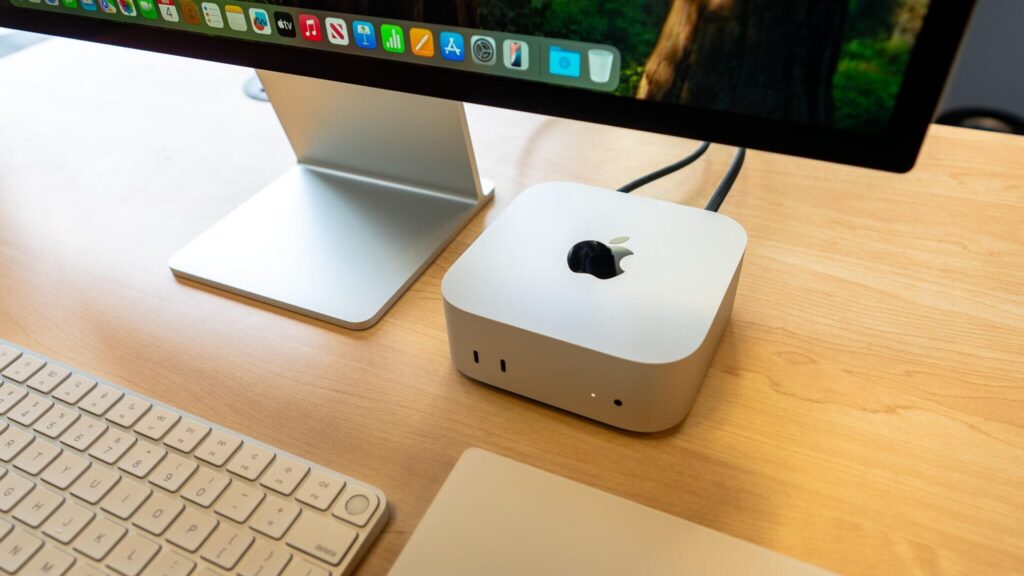
## MacOS Apps That I Use And Really EnjoyAbout 3 to 4 months ago I went to the [Apple Store at Friendly Center]( ) in Greensboro, NC to pick up my [M4 Mac Mini]( ). This would be my first official use of MacOS on any kind of a regular basis. I’ve learned a lot along the way and have discovered a lot of different apps. The list below are just a few of the apps that I have discovered and use regularly that I feel others might want to know about and use as well.## [Bartender 5]( )Bartender lets you hide icons on the menu bar, so you can keep only the most important ones visible, while the rest can be displayed when you click Bartender’s icon or even just hover over the menu bar. I was previously using Ice Menu Bar, but discovered that Bartender 5 has a bit more customization that I like and enjoy. Above is what my menu bar looks like when I have the extra icons hidden that I don’t want to see at all times. It’s very minimal and of course can be even more minimal than this if you so choose. When I hover over the menu bar, then all of these other icons appear. They are hidden mainly because I rarely use them so I don’t need to see them at all times like I do with the other icons you see in the first screenshot. There is a free trial of Bartender 5 that you can use for up to 4 weeks so you get a sense of how well the app works for you. If you find it useful enough to keep using it, then pricing is listed below. If you’re a SetApp subscriber, Bartender 5 is available via SetApp at no extra charge to you.## [Latest]( )Latest is a free and open source app for macOS that checks if all your apps are up to date. Get a quick overview of which apps changed and what changed and update them right away. Latest currently supports apps downloaded from the Mac App Store and apps that use Sparkle for updates, which covers most of the apps on the market. Forgot what was new in that update you installed yesterday? Latest can show you release notes for apps that are already up to date. See what has changed in the update, now in a beautiful uniform design. Latest helps me keep everything updated as I am one that does not like to have apps or software that aren’t updated to the latest versions at all times. Just something that really bothers me and Latest helps me not worry about. What’s surprising about Latest is that it’s completely free. There is a donate. option via the developers website if you’d like to donate to help keep the app maintained and updated, but that’s completely optional.## [BetterTouchTool]( )A feature-packed app for customizing all kinds of inputs for your computer. You can define keyboard shortcuts, mouse and trackpad gestures, control Stream Deck, manage your computer from your phone using BTT Remote, customize the content of the Touch Bar, and more. There’s just so much that BTT can do that is useful and beneficial in my opinion. It’s really changed the way I use my Mac as far as not using the mouse as much as I did when I first made the switch to MacOS a few months ago. I can easily access the things I need and want with the touch of one or two keys on my keyboard. BetterTouchTool is available to purchase directly from the site, which I linked to above and it’s very affordable especially for everything that it does. Again, if you are a SetApp subscriber, you can get BetterTouchTool for free included with your subscription. Check it out as you won’t be disappointed.## [Rectangle]( )If you’re one who likes or needs to move app windows around in various ways and are looking for a simple, easy to use app that has a ton of shortcuts for doing so, then Rectangle is certainly for you. Here’s how Rectangle can make your life easier: grab a window, take it to the edge or corner of the screen, and you will see a footprint that illustrates how it will be moved and resized. Depending on where you position the cursor, the window will be resized to cover a certain area of the desktop. Move it to a corner, and it will be adjusted to take up a quarter of the screen; move it to either side, and it will fill half the desktop; move it to the bottom, and it will cover either one third or two thirds of the screen; finally, move it to the top to quickly make the window full-screen. Rectangle has a 10-day free trial, or you can upgrade for just $9.99 USD. This is a lifetime license for only $9.99 as well, at least as far as I can tell which again, is a really good deal considering everything it allows you to do.## Final ThoughtsThis is obviously just a very short list of the apps I use and have discovered since coming over to MacOS 3 – 4 months ago. There are many others, but I wanted to do a short list as I feel most people will read shorter articles rather than long drawn out articles. This is also kind of part two of my app series I guess you could say. You can read my first post that I made here a while back: [MacOS Apps That I Like]( ). Tell me some of your favorite apps for MacOS that you enjoy, use regularly and recommend to others. I’m always looking to discover more new apps that I might not have known I needed until someone else recommended it to me! You can list your favorite, most recommended apps in the comments below if you’d like! #Apple #Apps #Bartender5 #BetterTouchTool #Computers #LatestApp #MacOS #PC #RectangleApp #Technology
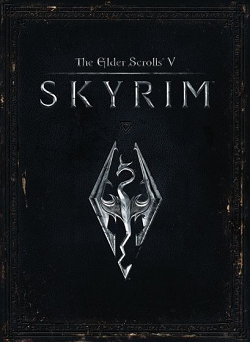
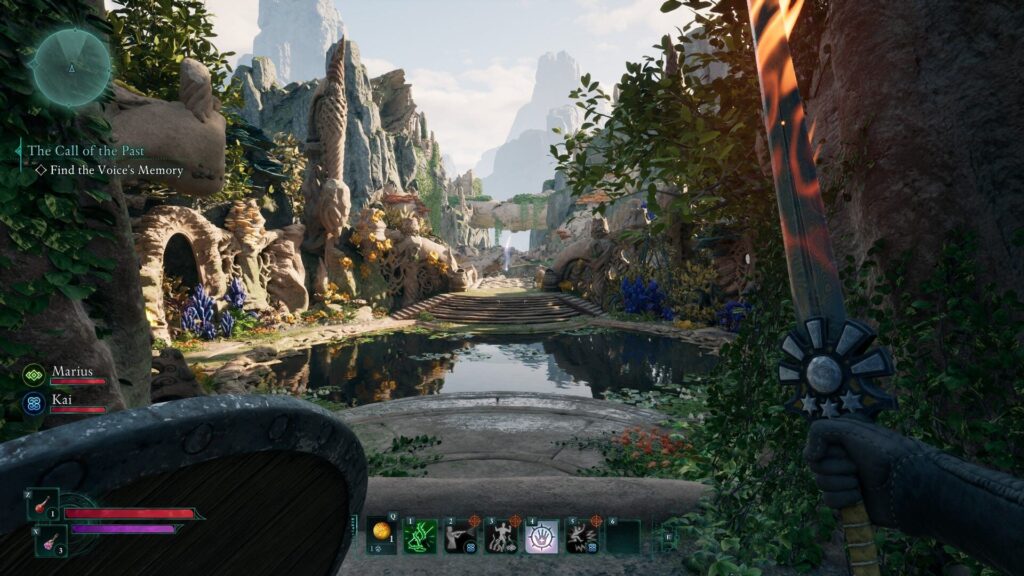
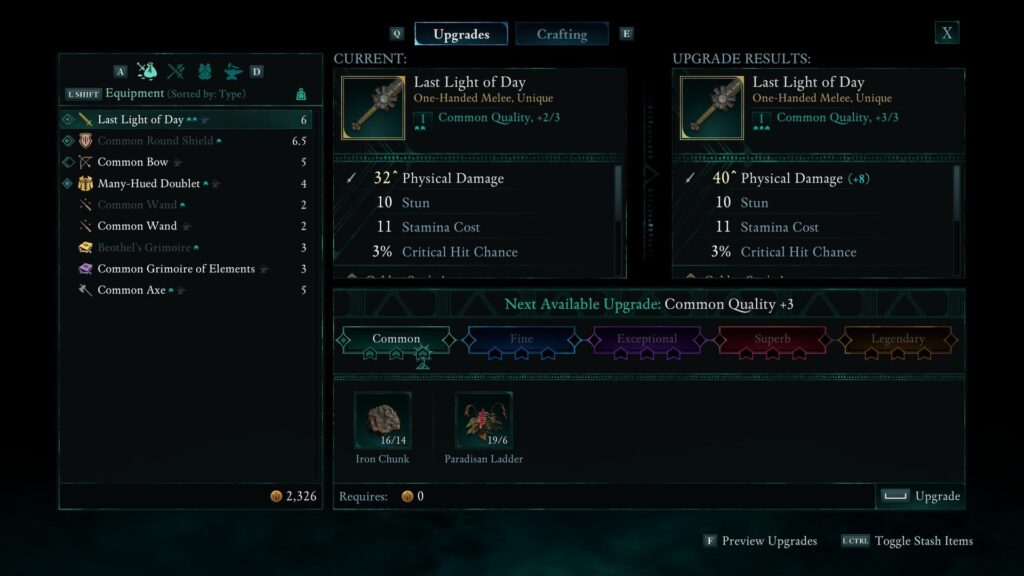
## Avowed: My Review After Finishing The Game<strong><em>NO SPOILERS!</em></strong> There are absolutely no spoilers within this review of mine. This is simply my thoughts on the game, how I felt the game played, what I liked or possibly didn't like.[Avowed]( ) is an action role-playing game in the same way [Skyrim]( ) is an action role-playing game: a first-person (though there is the option of a third-person view) swashbuckling spell-flinger where you run around picking up apples and wedges of cheese. But the similarities stop there. Far from being a sandbox, Avowed is a more authored kind of game where characters and their associated stories are deliberately placed to direct you around the world. It’s also an experience where the few companions you meet aren’t optional and aren’t romanceable, which feels delightfully novel these days. They’ll fight alongside you in battle (two at a time) and weigh in on decisions you make, both in the moment and when you’re back at camp. The adventure itself takes place in an island region called the Living Lands, a mysterious new addition to the world of Eora, which is the setting of Obsidian’s acclaimed [Pillars of Eternity games]( ). It’s a standalone area so you don’t need to have played those games to understand this one, but there’s an undeniable thrill for returning players in seeing this previously isometric world through the eyes of a character who lives there. There are also several nods to characters and events from previous Pillars games. It’s nice to be back. With all of that information out of the way, this is my review and my thoughts on the game since I have completed it already. I did so yesterday morning after starting it on Sunday, just two before it was released publicly on February 18th. It took me 39 hours and 40 minutes to complete the game and that was with doing all of the side quests in all but the last two sections. If I had done all of the side quests in those last two sections, though the last section was super small and really didn’t have many side quests, I believe I would have been right around the 46 – 48 hour mark. ## Lockpicks: No Mini Game InvolvedMost games now days seem to have some kind of mini game if you will tied to lockpicking chests, doors and similar other items. Avowed doesn’t do that, thankfully. When you want or need to lockpick a chest or a door, you simply hold the button for 3 seconds or so and you’re done. Chest/Door is open and you enter or take your loot. It’s really that simple and to me, that’s how it should be. You don’t need special abilities or even to level up an ability to get better at lockpicking. You just pick and go. You get lockpicks from loot off of dead enemies, out of chests, floor loot and can purchase them from vendors. They are super cheap, usually either 15 or 17 gold pieces each and you can hold hundreds of them. I had 250+ lockpicks when I finished the game.## Exploring The Open WorldThis game lets you go anywhere at any time. Sure, you have quests you need to do and need to go to certain places to do them, but you can literally explore the open world in any way at any time. If you wish to spend 2 hours exploring instead of doing quests, then go and do it. There is always stuff to explore, find and discover. It’s a great way to to gain loot outside of the quests and killing enemies. Though while you’re exploring, you’re going to have to fight enemies. No way around this as that’s just part of how it works. There are caves, small buildings, larger buildings, cities and so much more. Plus you can swim and dive underwater to find loot at the bottom of lakes, rivers and even the ocean itself. There are islands to explore, lighthouses and so much more. The exploring is almost endless in Avowed, and that’s what I absolutely love about it.## Let’s Talk About CombatThe combat is likely pretty much what you would expect from an Elder Scrolls/Obsidian game, but in my opinion, it’s much better. It’s so fluid and so easy to fight in Avowed, and it’s not clunky, no weird camera angles or anything like that. It simply just works and works really well. You can fight with a one-handed sword, a dagger in each hand, a pistol in one hand while having a grimoire in the other hand. You have two-handed weapons, shields, maces, spears and more. You can come up with most any combination you want which makes this game so much fun in the fact that you have your own build and can build it the way you want when it comes to the abilities. Boss encounters are smart enough so that if you kill them while roaming the world, and you find a quest later asking you to kill that same thing… you just get to autocomplete the quest and get the rewards. A great example of this is that very early on in the game you fight Nacib the giant spider. Yet there is a bounty on the first bounty board, once you get to that point, for Nacib and since you’ve already killed him, you simply pick up the bounty and then auto complete it, turn it in and claim your rewards. This is exactly how it should be. I wasn’t much for magic right at first, but later in the game once I got my last companion unlocked, I started using it a bit more, though not too much. Magic seems to work really well and does exactly what you ask and want it to do, again, without being clunky or hard to use. Click a button and BOOM, missiles come falling down on your enemy. Your companions use it quite a bit as they do many different things, and again, it just works. You can let the companions do their own things when it comes to magic and such, or you can command them to do things you need or want them to do such as heal you, shoot things or similar. It would likely be a pretty fun experience to play as a magic wielder in Avowed, but I chose to hack and slash everything with a sword, a fire-sword to be exact! There are also a number of grenades that you can carry around in your inventory allowing you to perform the same action so that you are never in a situation where you brought the wrong companion for the wrong mission. Not to mention depending on the weapons you have in your inventory, you can often burn things or even freeze things as needed.## Weapons, Armor And Upgrading Them Along The WayOne of the things that I find particularly cool is that essentially you can upgrade every weapon you find all the way to the maximum stats it can possibly have for its base item type. This means that as you start to find Unique weapons, it does not matter if you find it at the start of the game… it can be upgraded indefinitely and made useful all the way through the game. I found a flaming sword called the Last Light of Day and I took it from about 10 -12 hours into the game all the way to the end with me. I upgraded it every step of the way as I could and it was what I used to kill the final boss. Boots, Gloves, Rings, and Amulets are just stat sticks and are as useful at level 1 as they are at whatever the maximum level of the game happens to be. You don’t ever have to upgrade boots, gloves, rings, amulets or trinkets. Their stats remain the same at all times.## One Minor ComplaintOverall, Avowed was a ton of fun and I really didn’t have any issues. At least not like some of my friends have such as missions being bugged where they can’t complete them or even a bounty or two being bugged where they can’t turn them in to claim their rewards. I did experience crashes a bit too often, but I learned early on to save the game manually very often to prevent having to go back through fights or long conversations with my companions while at the camp site. But one thing that really drove me crazy is after you get done fighting a lot of enemies, finding their corpse, which is often just a pile of dust, on the ground to loot it can be difficult. Yes, there is an X on the mini map and there is a slight little light coming up from it at times, but it can be very difficult to see or navigate to and actually loot. I feel Obsidian needs to make this a bit more clear and easier to find, especially when an enemy dies in a bush or in the water. Definitely something minor, but it was something that was part of the game from the start to the end. ## Final ThoughtsI had been waiting for Avowed for a couple of years or so, and this game came through exactly like I was hoping it would. It had some hype to it and to me, it lived up to that hype. Almost 40 hours of game play was well worth it, though I did get to play the game for only $35 instead of $90, which is what you would have had to pay to play 5 days early. I got it through PC Game Pass and paid an upgrade price to play a few days early as I didn’t know I could do this until the 16th I think it was. Regardless, 100% worth it and now I’m stuck waiting on Outer Worlds 2 to release some time in October I believe it is.Are you playing or have you played Avowed? If so, please comment below and tell me your thoughts on the game, what you liked, what you loved, what you didn't like or anything else you'd like to share!
## Blog Questions Challenge – TV Shows EditionAs most of know, the blog questions challenge has been making the round in different editions. First there was the one that asked about how you got into blogging, then the one I started about [technology]( ) and then of course the [music edition]( ). Today, thanks to [jcrabapple]( ) I have been tagged in the latest edition of the challenge and this time it’s all about **TV Shows**. Before I dive in, let me also mention the blog questions bot that Jason setup for us on Mastodon yesterday. It’s a bot that will post several questions about a specific topic and then we can take those questions and make our own blog questions challenge post. You can find it here if you’re interested: [Blog Questions Challenge Bot]( ). Now, let’s get started on this next round of the questions as this should be an interesting one as I’m one who has watched a lot of TV shows over the years.## What TV Character From A Beloved Show Do You Wish You Could Be Best Friends With In Real Life?Tough question starting right from the get go I see. But after a bit of thought, I think I’ve decided to go with [Jack Bauer from 24](https://www.imdb.com/title/tt0285331/ ) who was played by Kiefer Sutherland. This was a show that I absolutely fell in love with and have watched every season of several times. I just love the action and the concept of the show and what Jack stood for in the show. Just something about Kiefer’s role really grabbed me and has always stuck with me. ## If You Could Binge-Watch An Entire Series Again For The First Time, Which One Would You Choose And Why?Easy question right here! [Sons of Anarchy](https://www.imdb.com/title/tt1124373/ ) and [Mayans M.C](https://www.imdb.com/title/tt5715524/ ). Yes, I’m choosing two because one is a prequel to the other and are likely my two favorite shows of all time. Sons of Anarchy grabbed me from the very first second of the show back in 2008 when it premiered and I was hooked for life. Mayans M.C. was a follow up show from Kurt Sutter and was just as amazing as SoA was, if not better. I have watched both of these shows in full numerous times and will do so many more times to come. If you like biker gang stuff, these two shows are the ones for you to watch and I highly recommend you do it ASAP!## Name A TV Show That Changed Your Perspective On The World Or Taught You Something Valuable.Oh wow! This is a tough one and by far the hardest one of this challenge. I’m not even sure where to begin with this. But after sitting and thinking for about 30 minutes, I’ve come up with my answer, and that is yet another FOX/FX show, as the first two answers I provided above were both from FOX/FX. This time around it’s [Prison Break](https://www.imdb.com/title/tt0455275/ ). First let me give you this information as to what the show is about: A structural engineer installs himself in a prison he helped design, in order to save his falsely accused brother from a death sentence by breaking themselves out from the inside. So what did it teach me you ask? It taught me that no matter the circumstances you face in life, if you need or want to do something, never give up. If you set your mind to something, you can accomplish anything you want or need to accomplish. It’s often not going to be easy, not going to happen overnight or whatever, but it’s always possible if there’s a will. I’ve carried through life after watching this show and so far the things I’ve set out to achieve I’ve done. Just takes determination and will power! As with all other blog challenges, the point is to tag others that will do the challenge and answer the questions as well. Therefore I’m tagging [BeardedTechGuy]( ), [CountableNewt]( ), [Tols]( ) and [BinaryDigit]( ). #Actor #Actors #Actresses #BlogChallenge #BlogQuestions #Movies #Shows #TV #TVShows image