## My Phone’s Home Screen; Explained In DetailI am often asked what my phone’s home screen looks like or what things I have on my home screen, so today, I’m going to break it all down for you. Let me note one thing here is that some of the features that I make use of requires the purchase of [Nova Launcher Prime](https://play.google.com/store/apps/details?id=com.teslacoilsw.launcher.prime ), which I you can grab from the Google Play Store for just $4.99 USD. Let me start with the basics of what I use as far as a mobile device. For today’s home screen post, I’ll be showing off my Pixel 8 Pro that I use quite regularly. I’m currently running Android 14 Beta QPR3 as I am almost always using beta software of some sort. I choose to use [Nova Launcher](https://play.google.com/store/apps/details?id=com.teslacoilsw.launcher ) with Nova Launcher Prime as my launcher simply because it works best for me. Not to mention, I happen to work Nova Launcher and have for 8 1/2 years now. The icon pack I use in the screenshots that you will see below is the [OneYou Icons by PashaPuma Designs](https://play.google.com/store/apps/details?id=com.pashapuma.oneyou.icons ). As far as widgets on the home screen, I don’t use any. The search bar you see at the top of the page is actually Nova’s search bar and I use that extensively for searching for my apps that aren’t on my home screen. The reason I search for my apps is because I don’t use the app drawer any longer, though I did for a lot of years. Searching for apps via Nova’s search bar is just much quicker and fewer taps or screen touches in most cases. Now that we have the basics out of the way, and links to the things I use, let’s get to the meaty details and the things y’all most likely care about the most, my actual home screen. As you can see, compared to a lot of people, my home screen is pretty empty and very basic. I only have thirteen icons in total on my home screen, but there’s access to a lot more apps than just those thirteen. I’ll start from the top left icon, [Solid Explorer](https://play.google.com/store/apps/details?id=pl.solidexplorer2 ), and work my way to the right. Solid Explorer itself is a file manager, and then I have swipe a swipe down action set to launch [Proton Drive](https://play.google.com/store/apps/details?id=me.proton.android.drive ). This is a Nova Prime feature that allows you to set a swipe up and a swipe down action on icons to do other things. In my case, I simply have it set to launch other apps. This allows me to keep my screen cleaner and more organized for my liking. You can also set swipe actions to launch shortcuts or Nova actions. Next is the Uber app. I have no swipe actions set on this icon, so we’ll move to the next one which is the [Google Play Store](https://play.google.com ) icon. This one I have a swipe down action set to launch a shortcut to My Apps, which is where you go to see all of your app updates within the Play Store as you can see via the image below. Again, this allows me to access app updates without several clicks. Next up is the Slack icon. Slack is something I use regularly for work but the Slack icon also has a swipe down action to launch Door Dash, since the wife and I order from quite a bit. Then you have Messenger for Facebook, with a swipe down action for [Aegis, which is a Two-Factor Authentication app](https://play.google.com/store/apps/details?id=com.beemdevelopment.aegis ), similar to Google Authenticator and others. Finally on the right side of the top row is Facebook itself. Likely my least used app on the home screen. On the bottom row, again, from left to right, is my phone app, Vivaldi Browser, Proton Mail, Discord, Camera, Mastodon and then Google Messages. The only icon here that has a swipe action, which is again a swipe down action, is the Mastodon icon and the swipe down will launch Instagram. Since I only have one home screen, and have for years, unless I’m testing something for a user, if I swipe from the left side of the screen, I can activate the [Google Discover feed]( ) or the [Smartspacer feed]( ). Smartspacer integration is only available in the Nova 8 beta builds currently, but will also be available once Nova 8 gets to a stable release, which will hopefully be soon. One thing to note here is, if you want the Google Discover feed, you’ll have to install the Nova Google Companion APK manually, which you can get from here: [Nova Google Companion App]( ). I would show a video of me accessing the Smartspacer feed integration, but unfortunately I’m using an internal Nova dogfood build that would show things that we have yet to announce publicly, so you’ll have to use your imagination of how things look and work. As I mentioned early on, I don’t use the app drawer. In fact, I can’t stand having or seeing an app drawer. While I kept mine very well organized with folders and all apps within my folders, it’s just something I don’t care for any longer as I’ve learned to use Nova search for most everything. For me personally, it’s quicker and easier and often just a tap, type one or two letters and then tap the icon I want. This doesn’t work well for everyone, so I encourage everyone to use what they like and what works best and quickest for them. As you can see in the image above, I can type the letters “pi” and find Pixelfed or Pixel Tips. This works very effectively for me and it also gives me other results that I might need to know about, such as a work meeting I have at 1pm EST today. You’ll also notice the search return for pi. These are Nova’s micro-results that we have quite a few of them. That’s my home screen, explained in detail, and how I use it as well as how it works best for me personally. I’ve used a very similar setup for numerous years with only small minor changes here and there. The layout of my home screen icons has been the same dating back some 8 – 9 years and I have no plans to change that layout any time soon. I know exactly where everything is and it’s super easy and quick for me to access what I need at any given moment. If you have questions or comments about my home screen, or just about Nova Launcher/Nova Launcher Prime in general, please don’t hesitate to ask. You can leave comments or questions in the comment area below or you can tag me on Mastodon and I’d be happy to share my thoughts there. My Mastodon account is here: [Cliff Wade on Mastodon](https://allthingstech.social/@cliffwade ). *Disclaimer: The views expressed in this blog post are solely those of the author and do not represent any official endorsement by Nova Launcher or any other apps mentioned.* Featured Image Credit: [Wallbase.cc]( ) Screenshots Credit: [Cliff Wade](https://allthingstech.social/@cliffwade ) #AllThingsTech #Android #NovaLauncher #NovaLauncherPrime #OneYouIcons #Smartphones #Technology image


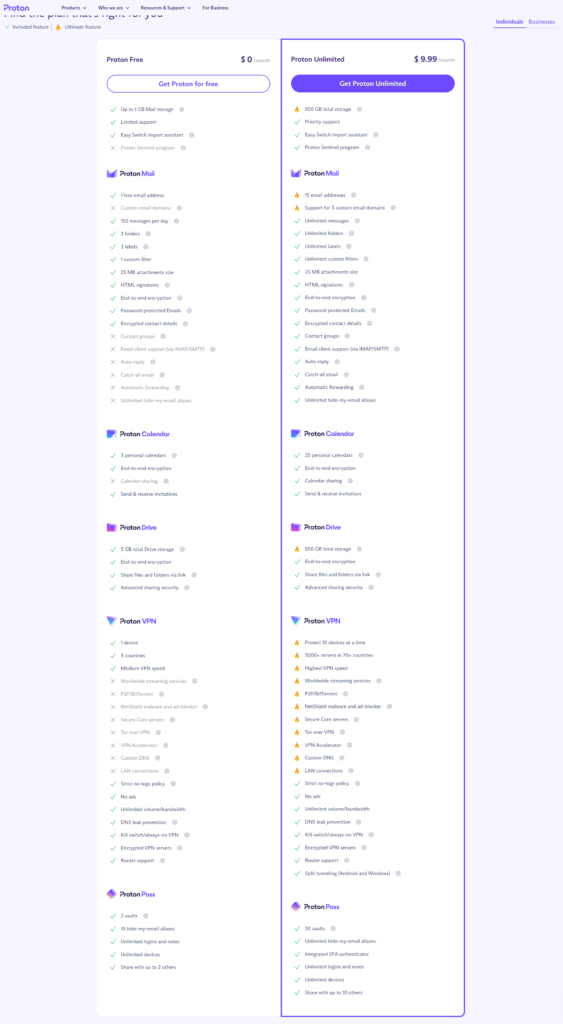
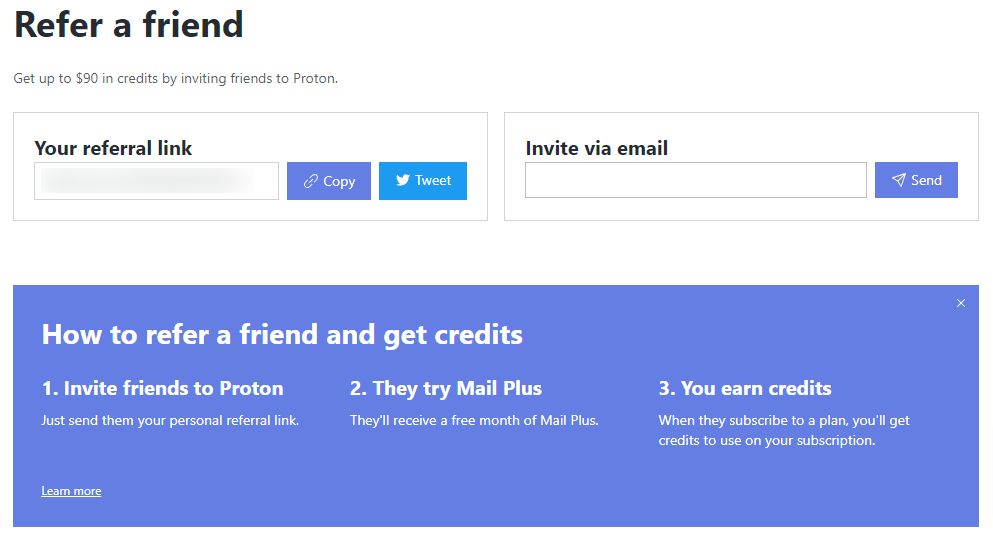
## Why I Switched From Gmail To Proton MailI’ve been using [Gmail](https://gmail.com ) forever. As in, prior to it ever going public. Back when you had to have an invite to get in. Luckily, I knew someone that had gotten in via a Google employee, and they were able to invite me very early on as well. It’s done what I’ve wanted and needed it to do. But now, I’m leaving it behind for greener pastures. The burning questions here are as follows. Why am I leaving Gmail and why am I doing it after 20 years and what email platform will I be switching to? As the title states, I’ve made the switch to [Proton Mail]( ) for a few reasons which I’ll describe below. Not only that, I’ve switched from using a free email service to now using a paid email service. Let’s start off with why I decided I wanted to switch from Gmail at all, since I had been using it for 20+ years, which likely means I have a lot of important stuff stored there. First and foremost, I wanted to start taking my privacy a bit more serious. I’m not trying to go all die-hard here and hide everything from the entirety of the internet, as I simply don’t have the time nor the patience for that. But I want to try and move away from getting served ads and recommended stuff a bit more than what I was. Gmail uses your email to serve you ads and information based on the contents of your email. This means it’s not encrypted as we all know. Proton is end to end encrypted, which means Proton themselves can’t even read your email. In return, this means you don’t get ads or served recommendations based on what’s in your emails. The second reason I’m leaving Gmail after 20+ years, is just that. I’ve had the same email for that long, and as a blogger, my email address is everywhere. I want to change that, but it’s pretty difficult to do with an established email such as my Gmail account. So what better way to do this than to start over and start with a new service that has some really nice features such as Proton. So what is it about Proton that drew me in, and more-so, to a paid version of Proton when I could have switched to a free version? First is all the [features you get]( ). With the free version, you certainly get some nice features. However, for me the number one thing on this list is the amount of storage. 1GB of storage simply isn’t enough for me, and that’s without importing any of my old emails from Gmail over to my Proton account. I purposely didn’t transfer anything over as my Gmail account isn’t going anywhere, so I know I can quickly access it if I absolutely need something from the past 20 years. The 500GB of storage is more my speed. However, I’ve actually got a family plan with my wife now, so we have 3TB of space to share between us, so I’m more than good on space. The second biggest thing that I wanted the paid plan for was the labels/folders feature. I use a lot of labels as I keep my email very well organized. I can tell you, it’s all because of my OCD, but hey, that’s a completely different article from this one! The third feature and certainly is quickly becoming my favorite feature of Proton Mail, is the hide-my-email aliases. This allows me to go purchase something from a website I don’t frequent and use an alias email address so that they don’t have my actual email address and then spam me with their newsletters, special offers, you forgot this in your cart type stuff. If I start getting any of those, I simply delete the alias and nothing else arrives in my inbox from them. Super simple and super efficient. I also like that with a paid Proton plan, you get access to [Proton VPN]( ), [Proton Drive]( ), [Proton Pass]( ) and [Proton Calendar]( ). For me, I don’t care much about the calendar since I’ve never really used calendar stuff within my personal accounts. I was already using Proton VPN, so now I get that bundled in and save a bit of money and have access to more things and more features as you see above. This paid plan gives me access to Proton Drive, which in turn allows me to stop using [Google Drive](https://drive.google.com ) as well and put everything I want into Proton Drive. Simply put, it’s a nice little added bonus. It’s a very similar situation for Proton Pass, which is Proton’s password manager, that happens to work very well. And because I get that for free with my paid Proton plan, I’ve decided to leave Bitwarden behind since I was paying for that as well. Now, everything is bundled into one and makes life so much easier. To me, having all of these options, features and apps available are super nice, even if it is paid for. That alone is something I thought I’d never be doing, paying for email. But as stated in the beginning, I’m trying to take my privacy a bit more serious and I feel Proton allows me to do just that. It’s not full blown by any means, but I feel for me, it’s a great start and this will likely lead to other things that I’ll start doing. One question I’m sure all of you have is, how is the overall service of Proton, especially on the email side? I can say that it feels no different than Gmail as far as the speed of receiving/sending emails, getting notifications for emails and just the user of the features itself. It simply works and it works great. What’s more is, Proton Mail is available on [Android](https://play.google.com/store/apps/dev?id=7672479706558526647 ), [iOS]( ) and the [web]( ). Proton Pass, Proton Drive, Proton Calendar and Proton VPN are available on all of those platforms as well. This makes it easy to use all of the services no matter what device or platforms you choose to use. One last thing that I have discovered about Proton Mail, is how active they are on Mastodon. While I don’t use Twitter/X, it can be difficult to find large companies like this on Mastodon. Proton Mail has an official account there that’s verified, and often responds very quickly and with full information and details. Find them here: [Proton Mail on Mastodon]( ). If you’re looking to make the switch to Proton, feel free to let me know. I can send you an invite code to “refer a friend” and you’ll get one month of Mail Plus for free from Proton. Kind of a hard deal to pass up if you ask me as it allows you to give it a try and see if it’s for you or not. You can read more details here: [Refer A Friend]( ). *Disclaimer: The views expressed in this blog post are solely those of the author and do not represent any official endorsement by Proton or its subsidiaries.* Image Credits: [Proton Mail]( ) #Email #Gmail #Proton #ProtonCalendar #ProtonDrive #ProtonPass #ProtonVPN #ProtonMail #Technology

## Let Me Introduce MyselfHello to everyone reading this! Since we have decided to start over with the AllThingsTech blog, I felt it was only appropriate if I made a little introduction post. Just a few words to let all of you know a little bit about who I am and what I do. So what do you say, shall we get started? As many of you likely know, but for those that don’t, I’m one of the co-admins of the [AllThingsTech.social](https://allthingstech.social ) Mastodon instance along with [Kyle Reddoch](https://allthingstech.social/@beardedtechguy ). AllThingsTech has been around for almost a year now. However, this post isn’t about our instance, it’s to give you some insight into who I am. I guess I could start with the basics. I’m a 52 year old husband to an amazing wife [living in Winston Salem, NC]( ) and am the proud parent of two awesome cats named Bess(15 years old) and Kumquat(4 years old). I was born in Merritt Island, FL, right across from the NASA launch pads, but only lived there until I was about 2 – 3 years old. My parents moved to Houston, TX for the oil boom that was just getting started and to be in a much larger city than Cocoa Beach, FL which is where we were living. I spent all of my childhood and teenage years in Houston. I graduated high school at [Klein Oak High School]( ), the same school that [Jim Parsons from Big Bang Theory]( ) attended. He and I even attended school together for 2 years, as I graduated in 1989 and he graduated in 1991. Small world, wouldn’t you say? After high school, I went on to do adult things and never attended college. I was sick and tired of school by the time I finished high school and wanted to move on in life. Shortly after graduation, myself and my parents would move back to Florida, this time in south Florida around Boynton Beach. My parents would end up getting divorced shortly afterwards and my dad and I would end up moving back to Houston in 1991/1992 as we felt that’s where “home” was. Plus, he was approached by his former boss at McCauley Lumber Co in [Tomball, TX]( ) to come back to work. A deal that we couldn’t pass up. We would stay in Houston and the surrounding areas until September 2007, which Pops and I would then move to [Rome, GA]( ). A place I didn’t really want to be, but it’s where life took us. I ended up meeting what is now my wife in 2013 and we’d get married in 2018. In January 2022, the wife and I would move to Winston Salem, NC which is where I am located at now. Absolutely enjoying this place as it feels like this is where I belong. Let’s go back to the year 2015, back when Google+ was one of the big social media platforms of the time. I stumbled across a post by Derek Ross, who I had followed for years, that he had shared by Kevin Barry, the developer of [Nova Launcher](https://play.google.com/store/apps/details?id=com.teslacoilsw.launcher ). Kevin was looking to hire someone to replace his current customer support person who was moving on to other things. I felt I didn’t have much of a shot at this job, but I decided to send an email Kevin’s way. As they say, you can hit your shot if you never shoot. Almost immediately, to my surprise, Kevin replied to me and wanted to setup a Google Hangouts meeting between us. Two days later we had a meeting and Kevin ended up hiring me on the spot. Little did I know how much my life would change because of this. So what is [Nova Launcher]( ) you ask? It’s the largest and most popular home screen replacement app in the Google Play Store and has been pretty much since the day it was launched publicly on December 13th, 2011. Twelve plus years later, it’s still the most popular launcher in the Play Store. Now you’re asking, what do I do for Nova Launcher? I am the customer support manager who handles all customer support via email and I also own and run the official, verified [Discord server that currently has almost 77,000 members]( ) at the time of this writing. I do other things as well since Nova Launcher was acquired by [Branch Metrics back in 2022]( ), but my job is mostly as I stated above. I’m still the only person who answers emails as well as a bit of social media stuff, mostly on Mastodon where we have a Nova Launcher account. Outside of the work stuff, I’m an avid lover and fan of technology of any and all sorts. Since I work for an Android app, I obviously have a love for Android mobile devices, but I also use Apple’s iOS very regularly as well. I love to play video games and just love to absorb news and information about anything tech related. If it beeps or it goes boop, then my curiosity is piqued. I’m also one who loves music. Since I work from home, I’m at my PC 12+ hours per day and while I’m at the PC, there is almost always music playing from my speakers. It’s simply a part of life and who I am. While I’m certainly no professional, I love to take random photos. I take a lot of photos of my cats but also love to try and capture a great sunrise or sunset if and when I can. But you’ll find I snap pictures of all sorts of stuff, even the food the wife and I experience here around Winston Salem. I’m sure there are many other things I could talk about, but as this post is getting a bit longer than expected, I should wrap it up here. With that said, if you are interested in knowing more about me, you can always reach out to me via Mastodon where I spend a lot of my time during the day posting random stuff of all kinds. My Mastodon account is here: [Cliff Wade](https://allthingstech.social/@cliffwade ). I’d love to answer any questions you might have or go into more details about anything I mentioned here. #AllThingsTech #CliffWade #Introduction #NorthCarolina #RandomMusings #RandomThoughts #WinstonSalem image
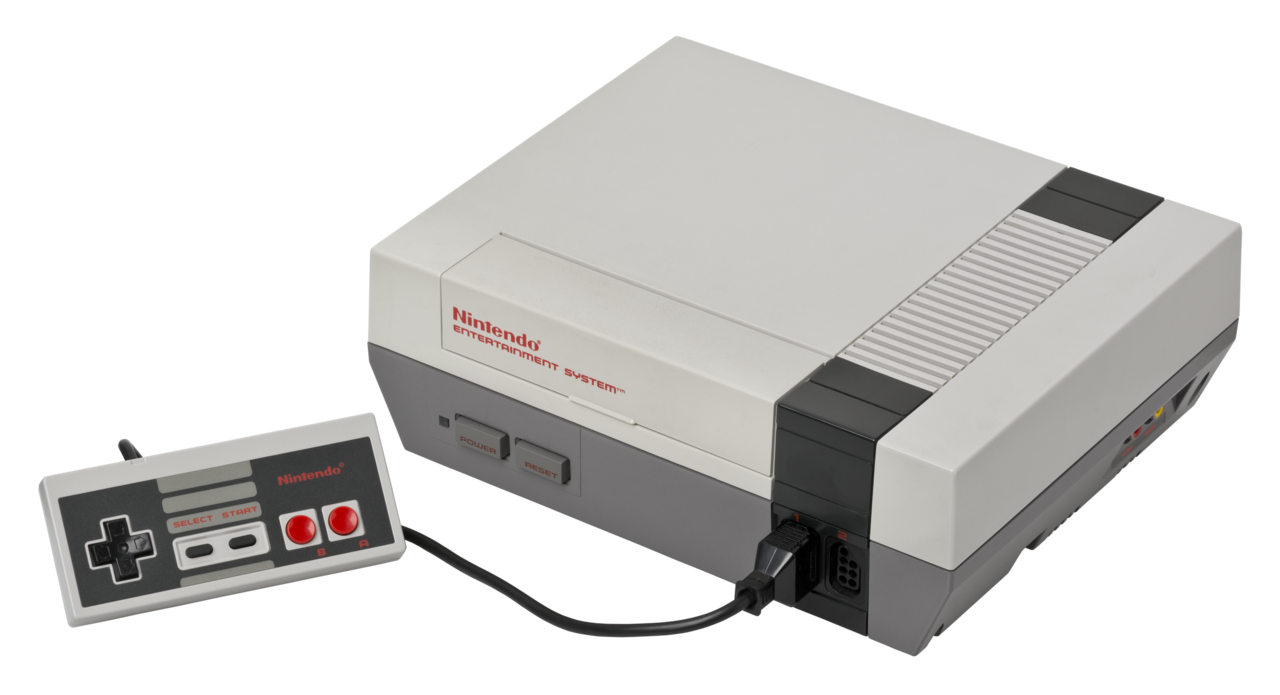
## How I Got My Passion For TechI’ve often been asked over the years, how did you get interested in tech? Since I was just asked yesterday by someone, I decided what better way to answer that question than with a blog post. I first got interested in tech at a very early age, likely around 4 or 5 years old. I was living in [Houston, TX]( ), as my parents moved there when I was between 2 and 3 years old. They moved there from [Cocoa Beach, FL]( ) because of the oil boom that was just starting. Plus, it was a much bigger city than Cocoa Beach which they wanted mainly for job market stuff. We were living on a 75 acre ranch at the time and I remember I had a 13-inch black and white Sony TV that I watched cartoons on. One day, out of the blue, my dad decided to hook up this machine to my TV called[ Pong]( ). I had no idea what Pong was, but little did I know it would be the beginning of a new journey for me in life and one that would stick with me forever. Once Pops got it hooked up, and tuned the TV to channel 3, as that’s how we played video games for many years back in the day, I heard this little set of intro beeps and noises, and I was instantly intrigued. I remember I sat in front of my TV for hours upon hours that day, without eating, getting up and stretching or anything else. I was addicted and it was to some fascinating piece of technology that I was suddenly addicted to. Every day afterwards, I remember just sitting in front of that small TV playing Pong endlessly for hours on end as if it were all life had to offer. Little did I know at the time that this would be just the beginning of a life long fascination to video games and all things tech. Two or three years later, the [Atari 2600]( ) was really becoming popular and it was something I wanted my parents to get me as soon as I could. Unfortunately, the Atari 2600 would be out for a couple of years before we’d get one. Funny thing is, I remember that day like it was yesterday when it finally happened. My mom and my grandmother, Nana, went to [Willowbrook mall in Houston]( ) to go shopping. I had been talking up a storm about wanting an Atari, and little did I know that it would happen on this day. To make a kind of long story short, we went to several department stores such as [Montgomery Wards]( ), [JC Penney’s]( ), Sears and others, as well as a few toy stores such as KB Toys, The Children’s Palace, [Radio Shack]( ) and a one off place called [Game Peddler](https://www.houstonarchitecture.com/topic/22307-the-game-peddler-in-willowbrook-mall/ ). What I didn’t know at the time was that my mom was looking for the best deal price wise on an Atari 2600 and bundles that included a game or two. We ended up going to back to [KB Toys]( ), which I thought was super weird, as that was something we had never really done. At the same time, I was getting super excited as I kind of knew what might be about to happen. Sure enough, we walked in, my mom asked a sales person for some help getting an Atari 2600 and a couple of games. Those two games were [Adventure]( ) and [Yars’ Revenge]( ). The console came with Combat. I can still feel the chills, the excitement, the joy and the huge smile I had on my face knowing my life long dreams(7 years old at the time) had just come true. Life was now complete! Or was it? I couldn’t wait to get home, but unfortunately my mom and Nana were hungry, so we went to the food court in the mall to get something to eat. Then we went over to [Toys ‘R Us]( ) which was right across the street to look for more games, though I don’t think we bought anything. Finally, we’re home and ready to get this thing hooked up. It seemed like mom was taking forever to figure it out and get it all hooked up, but surely that was just the adrenaline and excitement Again, once the console powered on, and I heard whatever noise it was that the Atari 2600 produced, I was intrigued beyond all belief. I think my mom actually put Adventure in the slot first, and that too was an instant game changer. Adventure would go on to be one of the toughest games at the time, but one of my most played games as well as one of my top 5 games of that era. While I did get my start on Pong, I really credit the Atari 2600 as what got me into video games as a whole when I was a kid. I think a lot of that had to do with the fact that it was in color unlike Pong which was black and white only. Plus the Atari obviously had a lot more sounds and more in-depth games than what Pong offered. From then on, my interest and my addiction to all things tech, any thing that beeped, made noise or anything similar was something that I wanted to know more about and wanted to tinker with. We pretty much owned every game console after that point, except for a few such as [Odyssey]( ) and [Odyssey 2]( ). We owned consoles such as [Intel]( )[l]( )[ivision]( ), [ColecoVision]( ), [Atari 5200]( ) and [Atari 7800]( ) as well as later consoles such as the [Nintendo NES]( ) and again, most everything afterwards. This interest carried over well into my teens and my adult life. Today, I have a huge interest and obsession with mobile phones, such as [Android]( ) phones and [iPhones]( ). I still play video games as well at the age of almost 53. I mainly play on PC, but I do own an [Xbox Series S]( ), [Nintendo Switch]( ), [Steam Deck]( ) and of course a [Playstation 5]( ). While this is certainly a shortened version of what could be a very long post with regards to my love for tech over the years, it at least gives you the basics of what got me interested originally and is the reason why I’m so passionate about tech of all kinds to this very day. If you are like me and have a passion for tech and all things that go beep/boop, feel free to start up a conversation with me on Mastodon which is my social media platform of choice. You can find me here: [Cliff Wade](https://allthingstech.social/@cliffwade ) as I’m the co-admin of my own Mastodon instance, properly named: [AllThingsTech.social](https://allthingstech.social ). #AllThingsTech #Atari #ColecoVision #Nintendo #Playstation #Pong #Technology #Xbox image
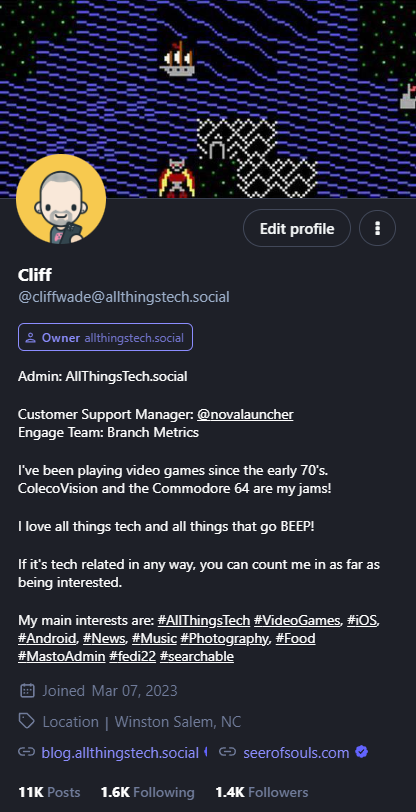
## Tips And Tricks For New Mastodon Users## **What Is Mastodon?**Mastodon was founded in 2016 by German software developer Eugen Rochko. Unlike Twitter, Facebook, Instagram or most any other social media site, Mastodon is a nonprofit, meaning that it’s not owned or run by one individual or an individual company like the sites listed above. Mastodon might look like a clone of Twitter at first glance, and in some ways I guess you can say it is, but those similarities don’t go very deep at all. In fact, the underlying system behind Mastodon is way more complex than that of something like Twitter. Mastodon is considered a “decentralized platform” and is defined as a “federated network which operates very similarly to email.” When you first create your account, you choose a server; similar to how you choose to open an email account at Gmail or anywhere else, which generates your profile’s address. So, for example, if you sign up for Mastodon via the [allthingstech.social](https://allthingstech.social/?ref=blog.allthingstech.social ) server, then your Mastodon address will be @[your username]@allthingstech.social. For example, my account is [cliffwade@allthingstech.social](https://allthingstech.social/@cliffwade?ref=blog.allthingstech.social ) or [allthingstech.social/@cliffwade](https://allthingstech.social/@cliffwade?ref=blog.allthingstech.social ) Both links point to the same URL, so you can click it and see my profile. But no matter which server you sign up with, you will be able to communicate with users from any other server, just like how Gmail users email Hotmail users and vice versa. However, some servers might have blocked other servers (perhaps if it’s an unsavory group), which would mean you can’t communicate with anyone from the blocked server. But all of this is for a completely different post as I want to focus on tips and tricks for new users that will help get you started and hopefully get you connected with others in a better, quicker way.## Tip 1: Upload A Profile PictureThis should be common sense on any new social media platform that you go to assuming the site allows you to. It doesn’t have to be a selfie or a picture actually taken of you. It can be something that helps others quickly identify your posts. This can be anything you want it to be. Just pick something that you enjoy, that you feel represents you or that has a story behind it. People associate profile pictures with a name, and they get used to it. This will help you build an audience quicker and make it to where anyone you follow or interact with more likely to click on your name to read your bio and possibly follow you back. To enhance this a little further, I strongly recommend you add a profile banner as well like you see at the top of my profile in the image below. Again, make it what you want. Just remember, little things like this show other users that you’ve taken a bit of time to let others know a bit about yourself.## Tip 2: Fill Out Your BioThis and tip 1 likely go hand in hand. Without a bit of information provided in your bio to let others know who you are, what you do, what you like or anything else of importance, you’re less likely to get interaction or follows from others. While this certainly doesn’t guarantee that you’ll get interaction or follows, it’s the best place to start when it comes to Mastodon, or most any social media platform for that matter.## Tip 3: Make An Introductory Toot (Post)Again, just like on every other social media platform, introducing yourself helps others get to know a bit about you. There’s no specific guidelines as to what you need to say in this introductory toot (post), so feel free to say what you want. Make it serious, make it funny, whatever you feel is best. This introductory post is something that can be shared every couple of weeks so that the newer users to Mastodon might get a chance to see it as well. It’s also recommended that you pin it to your profile as you can have up to 5 posts pinned on your profile. That number may however vary depending on what instance you are on.## Tip 4: Follow Anyone On Mastodon That You Followed On TwitterThere are several websites out there that can check your Twitter following and follower list and find out who of those have a Mastodon reference in their profile there, leading you to find their account on Mastodon itself. This is obviously a great way to start off your Mastodon journey by following some familiar people. A couple of websites you can use for this are [FediFinder](https://fedifinder.glitch.me/?ref=blog.allthingstech.social ) as well as [MastoFind](https://mastofind.net/?ref=blog.allthingstech.social ). There are likely many others but I’ve personally used both of these with good success when I first came over to Mastodon several months ago. This doesn’t necessarily mean you need or should follow everyone that you followed on Twitter, as you might very well want to start fresh and only follow new folks you find on Mastodon. However, most of us have people we have become really good friends with or interact with regularly and if some of those have moved over completely to Mastodon, then it’s often important to keep those relationships going. Using the sites above will help you find others who have added a Mastodon link to their Twitter profile and you should add your Mastodon profile link to your Twitter profile for this same reason.## Tip 5: Use Hashtags When You Toot (Post)Since there is no algorithm on Mastodon, the best way for users to find things they like is via hashtags. Using hashtags in your posts gives everyone the ability to not only search for keywords of things they like or want to see, but you can also follow hashtags within Mastodon which can really add to the overall experience of the platform. Some people say to only use up to three hashtags, others say to use as many as you want. I’m not sure if there is a “correct” way to do this or not, but I’d say use what you want and judge changing it based on interaction or lack of interaction. Another thing I did to enhance this when I first joined Mastodon was to create a toot (post) with regards to the hashtags I like to use, view and search for. This too allows others to know a bit more about you, who you are, what things you like and what things you might be posting or commenting on around Mastodon.## Come Join Us On [AllThingsTech.social](https://allthingstech.social/?ref=blog.allthingstech.social )With all of this said with regards to how to setup your profile and make the best impression from the get go, and you’re looking to join the Mastodon platform, we at [AllThingsTech.social](https://allthingstech.social/?ref=blog.allthingstech.social ) would love to have you! Regardless of which Mastodon app you choose to use, or if you decide to create your account on the web version of Mastodon, you can enter the instance name above and then click Ok/Enter or whatever, and then you should be able to create an account on the [AllThingsTech.social](https://allthingstech.social/?ref=blog.allthingstech.social ) instance.## Final ThoughtsThese are just five of the first tips and tricks that I learned and preached about when I first came over to Mastodon and I feel it helped and still helps me greatly today even after 3+ months of being on the platform. There are many, many other things you can do to make your experience better and to possibly grow quicker and I’d be more than happy if you would share those with me if you’d like. Maybe if I get enough suggestions of other tips and tricks for new users, or even experienced users, I could make another post here and list them and give you credit for your suggestions. #AllThingsTech #Mastodon #SocialMedia #Technology #TipsTricks
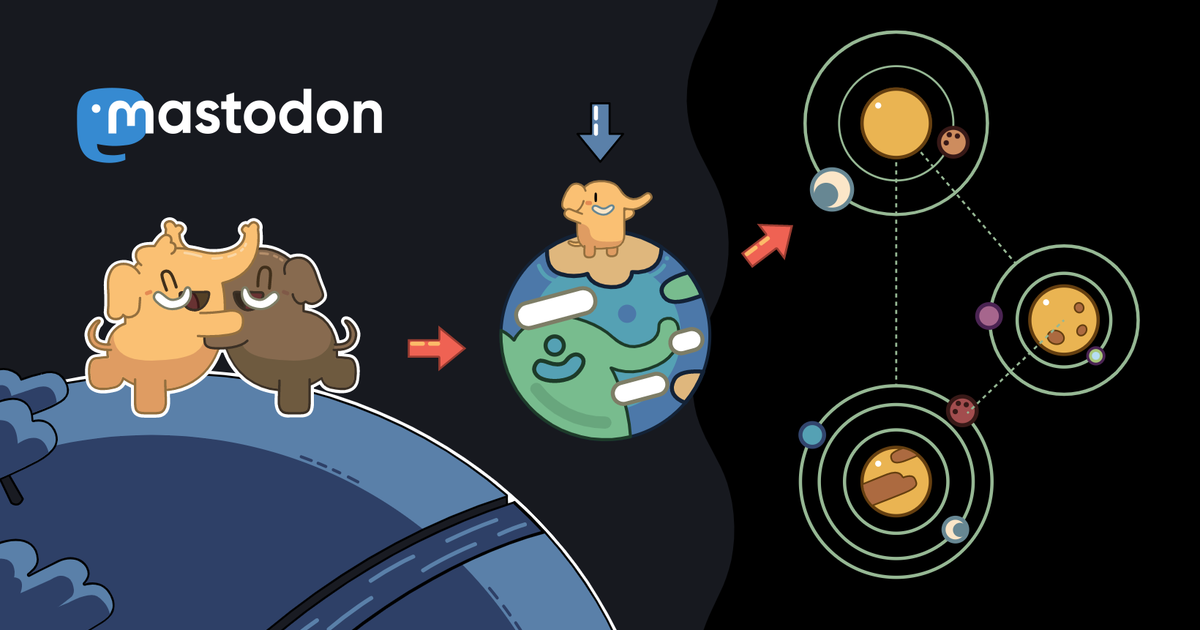
## Tips For Picking The Best Mastodon ServerMastodon has gained a lot of traction over the past 2 – 3 months alone due to Elon Musk taking over Twitter and really stirring things up. I won’t get into any of that here as that’s not what this article is about. What I will tell you about is a few things for you to think about when it comes time for you to pick a Mastodon server for you to call your home. Joining Mastodon isn’t just about picking a username, entering your email address and then simply joining the conversation. There are thousands and thousands of “instances”, or servers, that you could possibly join and today I’m going to give you a few things to think about prior to joining. This will hopefully help you join the best instance for you from the get-go so you don’t have to go through the transfer to another instance process.## What Are Mastodon Servers?Mastodon servers, or more correctly called, instances, are individual communities that each have their own rules and often their own culture. A server can be owned by a single individual, a group of people or even an organization and those are the people who dictate the community’s guidelines. One thing to note is, when you join an instance, you’re not limited to only interacting with people from that instance alone. You’re still able to interact with others around the Fediverse. However, the instance you do choose can possibly impact your overall experience in various ways.## How To Pick A Mastodon ServerAt the time of this writing, [Mastodon currently has 13,110 servers]( ) with about 9.3 million users and growing considerably each and every day. With this many servers to choose from, it might seem a bit overwhelming on what you should pick to join. That’s where this article will hopefully help you. As stated above, you can always transfer to another server if you feel the one you pick originally isn’t best suited for you or you find something that is better suited for you after you start using the platform.## Write A List Of Server RequirementsBefore you dive in head first, I highly recommend you make a list of your wants and needs you’d like about a server you might join. Things to think about are as follows: **Moderation Policy Or Community Rules**: What types of content are allowed and what types of content are not allowed. This can range from memes, NSFW (Not Safe For Work) content, hate speech and so on. You should always be able to find this information via the servers About Page. **Age Of The Server**: If the server is brand new, that’s something to think about. It could possibly end up not surviving very long, forcing you to transfer to another server. It could go inactive as the owner(s) thought they had time to maintain it but realized they don’t. Older, more established servers are more likely to stay around and have a bigger, better and more stable community. **Other Servers You Might Want To Interact With**: You can interact and follow users from other servers in most cases. However, some servers can block other servers around the Fediverse for various reasons such as their political stance, not agreeing with a servers moderation policies and so on. This is certainly something to keep in mind when thinking about joining specific servers. **How Quickly You Want To Start Using Mastodon**: Some servers you have to request to join or even be invited to join them. This process can often take a couple of days. If you’re looking to join in on some conversations immediately, this might not be where you want to try and join as you might be forced to wait a couple of days before actually getting into Mastodon and seeing what it’s all about. One thing to note here, most servers that are invite only do so for a good reason and are often better communities or goal oriented communities so it might be that it’s worth the wait.## Consider The Types Of Posts You Want To SeeMastodon servers can be very general servers or they can be pretty niche, depending on the server itself. Depending on what posts or content you want to see plays a big part in the server you decide to choose. For example, let’s say you are an artist who wants to be on an art centric server as you will be posting a lot of your own art, but also want to see mostly art from others. You’ll want to find yourself a specific server with that in mind and trust me, there are several to choose from. If that’s what you’re wanting, then you most likely don’t want one of the larger servers like [mstdn.social]( ) or anything similar. I know you’re likely asking, why does the server matter if I can interact and see other users from all over the fediverse? The reason is because your **HOME** server is the best place to find like-minded people who will also be sharing content from outside of your server of like-minded content. Here’s a breakdown of the three feeds you will have the option of viewing once you start using Mastodon. **Home Feed**: Shows content from the people you follow regardless if they are on your server or a different server. **Local Feed**: Shows content only from the people on your server. **Federated Feed**: Shows content from people followed by those on your server. Remember, your server might block other servers, so you won’t see content from those servers if your server has it blocked.## Utilize Mastodon’s Server ListMastodon offers a partial list of servers that you can browse to get an idea of what server you’d like to join to get started. You can find that list here: [Server List]( ). Remember, this is not a complete list of all servers available. You can filter this list by geographic region, language, registration process (invite needed or no invite needed) and host/ownership type (individual or organization). You can also sort by topic of interest such as: art, music, technology, LGBTQ+, sports, books and so much more. One really good thing to note here is that all of the servers that are listed on this have all agreed to follow the [Mastodon Server Covenant]( ), which is basically the best practices of Mastodon. This is pretty important as it ensures you are going to find good servers that have good rules in place such as:Active moderation against racism, sexism, homophobia and transphobia.Daily backups to prevent the loss of user data and even server data.At least one person, other than the admin themselves, with emergency access to the server infrastructure. This is extremely helpful if the admin is away and there's some kind of emergency that needs to be dealt with.The admin and those who run the instance have agreed to provide at least a three month notice to all users in case the server will be shutting down. This allows all users to find other instances to move to.## Take The Server Quiz To Find What Fits You BestBelieve it or not, there is even a [server quiz]( )  you can take to find what server(s) might fit best as to what you are looking for and wanting from a Mastodon server. The good thing about this quiz is, you don’t need to provide any personal or private information. The quiz will ask you simple things such as, what language(s) you speak, your preference as to how many users the server has to have and the rules that you care about most. This tool is very helpful to get you started in what servers to look at based on what you want from a server you are about to join.## What Servers Do Your Friends Use?Your friends from other social platforms or even your real-life friends are possibly on Mastodon already and you can always ask them what server they call home so that you can take a look at it and see if it fits your needs and wants. This also can include your Twitter friends, assuming you use or have used Twitter. If there’s certain people or organizations you simply don’t want to miss information from, then finding these users can be very important to make your Mastodon experience that much better from the start. There are numerous services out there that allow you to scan your Twitter follower/following lists and see if they are on Mastodon as well. It will search for keywords in their bio or even a link to their Mastodon profile. [Movetodon]( ), [Twitodon](https://twitodon.com/?ref=blog.allthingstech.social ), [Fedifinder](https://fedifinder.glitch.me/?ref=blog.allthingstech.social ) and [Debirdify](https://debirdify.pruvisto.org/?ref=blog.allthingstech.social ) are just a few resources to look at for finding users from Twitter that have Mastodon accounts. I’ve personally used all four of these with great results.## Join A Completely Random ServerIf you’d like to simply dive in headfirst and not really do a bit of research and just get a feel for things firsthand, you can always just pick a random server, click it and join it. This allows you to check out the community and the types of posts you’ll see from others and then you can make the decision yourself if it’s the place for you or not. Always remember, if it’s not, you can either create a new account on another server or transfer to another server. The choice is totally yours how you handle it from there. There is certainly no consequences if you feel you picked a server that isn’t quite right for you.### [AllThingsTech.social](https://allthingstech.social/?ref=blog.allthingstech.social ) Is Always Looking For New Users To Call HomeI actually happen to own and run my own Mastodon instance called [AllThingsTech.social](https://allthingstech.social/?ref=blog.allthingstech.social ) that is a public instance, though it requires staff approval of all accounts. While the name is [AllThingsTech](https://allthingstech.social/?ref=blog.allthingstech.social ), we don’t restrict posting to just tech related stuff in any way. That’s our main focus, but we want to provide a safe, fun, friendly place that anyone can call home and post the things they enjoy. Such as their daily routines, their cats, dogs, llama’s or whatever else. If you want to post about food, we encourage that just as we do your daily gym workout information. We are currently doing the approval of users who sign up for the instance as this allows us to ensure that our instance remains safe for everyone involved. So, if you’re wanting to move to [AllThingsTech.social](https://allthingstech.social/?ref=blog.allthingstech.social ) from another instance, when you sing up we ask that you provide a link to your current/previous instance so we can check it out and see what types of things you like to post about so we can get a feel of what you are about.## Joining Multiple ServersYou are also free to join multiple servers if you’d like. There are lots of people who do this for various reasons. You can join an art server so that you get posts about art related stuff and where you can post your art. Then you can join a server that’s more focused on something like iOS. This allows you to post iOS related stuff but not mix in your art stuff you want to post or see. There are many reasons you might want to have accounts on several different servers and there’s certainly nothing wrong with this as long as you feel you can keep up with having multiple accounts.## Final ThoughtsIn the end, it’s all up to you how you decide which server to join. You can base it on one thing or multiple things listed above, or you can base it on your own thing completely and not follow any of what’s listed above. Again, there’s no right or wrong way to choose what server you join. Choose what works for you and if you feel you made a bad decision, then start over and do it again until you find a place to call home and what fits all of your needs. Once you get your account setup and if you’re looking for some tips and tricks on how to get started using the platform, you can check out my [Tips And Tricks For New Mastodon Users]( ) post that will give you some ideas of what to do to enhance your Mastodon experience from the start. Once you do pick a server and you get to using Mastodon, feel free to drop me a follow if you’d like. I’ll be posting more Mastodon related articles here on this site and I will post them on Mastodon for others as well. You can follow me here: [Cliff on Mastodon](https://allthingstech.social/@CliffWade?ref=blog.allthingstech.social ). If you found this article helpful in any way, feel free to tag me on Mastodon and let me know as I’d love to hear from you. #AllThingsTech #Mastodon #SocialMedia #Technology #TipsTricks image
## What Is AllThingsTech?Now that you’re here, you’re likely wondering, what exactly is [AllThingsTech.social](https://allthingstech.social ) as far as a site, a Mastodon instance and beyond? Today, I hope to give you at least a brief explanation of what I feel AllThingsTech.social is and what I hope it becomes.## Where Did The Name Come From?I know many will ask, where, how or why did you come up with the name AllThingsTech.social? To be honest, it was completely random. I had some people that I follow on Mastodon, such as @npub1vmy5...ql57 suggest some names that they thought were good to use. One of those were [mobiletech.world](https://mobiletech.world/?ref=blog.allthingstech.social ) which I actually did register. However, after registering it and thinking about it a bit more, I didn’t want to be tied to just “mobile” tech. I want something more open to all things tech related. See what I did there? Oddly though, even after saying that in my head, it didn’t click at first that AllThingsTech would be a good idea for a domain name. After speaking to another follower of mine, and the two of us suggesting about 15 – 20 possible domain names, it eventually clicked and I came up with AllThingsTech.social. AllThingsTech was pretty obvious as to what it means. Anything and everything tech related and not focused on just one aspect such as mobile, PC or whatever. The .social part was because I knew I was going to at least start a Mastodon instance along with a website. So the .social part for Mastodon seemed like the right way to go since Mastodon is a social platform.## What Does AllThingsTech.social Mean From A Users Point Of View?That is a really good question that I ask myself constantly and therefore I’m sure others will be asking as well. What I envision from AllThingsTech.social, especially the Mastodon side of things, is a safe place to call home and to share things on a regular basis. If you want to share things tech related, then share tech related things. If you want to share pictures of your animal(s), then that’s what you are welcome to share. AllThingsTech.social is also a safe place for all walks of life. We don’t look down nor judge anyone based on race, sex, sexual preference, political preference, religious preference or anything similar. If you are part of the LGBQTIA+ community, we welcome you with open arms. I specifically mention this community because I know that the way our world is right now, folks within that community have a real struggle, sadly, with finding a safe space that they can be themselves and voice their opinion and share things about their daily lives. As stated above, we welcome anyone and everyone to AllThingsTech.social and we do so with open arms. We want this place to be a positive, safe, happy, fun, loving place that others are happy to call home. We want to build a community amongst communities and to provide a place that others can build long lasting friendships along the way.## Where Do I See AllThingsTech.social In 3 Months, 6 Months And Beyond?Let me be completely honest here when I answer this question. Overall, I kind of explained this above with regards to what I want the AllThingsTech.social community and Mastodon instance to be. But I know that’s not really the full answer you’re likely looking for. The real answer is, I’m not really sure. I don’t want to throw out specific numbers in any way at all as I don’t want anyone to be let down by those numbers. I’d rather have something in my head and if/when that gets surpassed, I can post about it as a milestone and that makes it bigger and better in my opinion. I will say this however. To start with, since I’m obviously completely new to being an admin of a Mastodon instance, and still pretty new to Mastodon in general, I don’t want to open up the server and instantly get 500 users in a few days or a few weeks. In fact, the plan I currently pay for has an approximate cap of about 500 users in total. I want to start slow, work my way up, approve each and every member that becomes a user of the instance. Just as stated above, I feel this allows us to build a better, safer, more exciting community and this will allow us to scale when needed, as needed and however it’s needed. Again, this is a huge learning experience for me and I’m hoping to make the best of it. Would I like to see 200 users on the instance in let’s say 2 months? Sure I would. I feel that would be a pretty huge accomplishment. Again, I’m not holding my breath and making that a hard goal to shoot for.## Final Thoughts Before Launcing AllThingsTech.socialTo say that I’m excited about launching my own Mastodon instance is a huge understatement. At the same time however, I’m super nervous, for several reasons. First and foremost is what I mentioned above. I’m new to this and by new, I mean completely new. Second, it’s just me at first. I have no moderators, I have no fellow admins/owners or anything similar. While yes, I’ve had a couple of people show interest, and I certainly appreciate that interest, I feel the best way to go about finding moderators or just other staff in general, is to open up the instance, get some users on board, and see who is who and who might be interested or who shows a sense of leadership. So, with all of that said, things will be opening up over the coming days as far as the AllThingsTech.social Mastodon instance is concerned. If you feel you have what it takes to possibly become a moderator or a staff member, feel free to sign up and join the instance and show me what you got! #AllThingsTech #Mastodon #SocialMedia image